9 Sprout Social Alternatives & Competitors
Looking for a good Sprout Social alternative? We’ve got the top eight options available for you to compare and choose from.


Looking for a social media analytics tool that gives you the coverage, benchmarks, and reporting capabilities your current setup doesn’t provide?
Sprout Social is a well-known option and is often used by teams for publishing, engagement, and day-to-day social media management. However, when it comes to competitive analytics, cross-platform benchmarking, and presentation-ready reporting, many teams find that Sprout works best alongside a specialized analytics tool rather than as a standalone solution.
If this sounds familiar, you likely already use tools like Sprout Social for execution but need more complete competitive data, broader platform coverage, and streamlined reporting to support analysis, benchmarking, and stakeholder reporting.
To help you find the right fit, we’ve rounded up tools that either complement Sprout Social or replace it entirely, depending on whether your priority is execution, analytics, or competitive intelligence.
Why consider using a Sprout Social alternative?
There are a number of reasons users look for a Sprout Social alternative. For many teams, it’s not about starting from scratch. It’s about addressing specific requirements that existing tools or combinations of tools don’t meet.
Here are the most common reasons:
Cost
Sprout Social’s cheapest plan is $199/month per user, with competitive reports locked behind the $399/month tier—again, per user.
For teams already using other marketing tools or native analytics, paying for a large management suite can be difficult to justify when what they need is stronger competitive reporting, broader platform insights, or more efficient exports.
I mean, there’s an entire Reddit thread in r/digital_marketing dedicated to looking for alternatives to Sprout Social just because it was raising its prices.
One review of the platform also shared, “This platform is so expensive for what you get. As a content creator with over 250,000 followers, there are much better products that don't cost $8,000 per year.”
Onboarding
Sprout Social is a comprehensive platform with a lot of different features, but that also means there’s a lot to learn. This can make onboarding a challenge, especially when some dislike of Sprout Social is specific to the fact that onboarding support isn’t provided for users in certain payment tiers.
When users aren’t able to properly learn how to use a platform, they can easily miss potentially useful features. This, in turn, makes the product lose value in the eyes of its users. Why would they pay top tier pricing for something that they only know half the functionality of?
Glitches
Every software is going to have bugs and issues sometimes, but users complain of recurring issues with Sprout Social that can make some of the product’s features virtually unusable. One reviewer complained of profiles continuously disconnecting, issues merging accounts, and stats sometimes being unavailable when creating reports.
Again, every tool has its occasional glitches. But when teams rely on monthly, quarterly, or board-level reports, unstable access to competitive analytics creates operational risk and delays.
1. Socialinsider - the best Sprout Social analytics alternative
Socialinsider is a social media analytics and competitive benchmarking tool that works exceptionally well alongside Sprout Social, especially for organizations that already use Sprout for publishing or engagement but need deeper competitive insights, stronger benchmarking, and more flexible reporting. Socialinsider offers features like:
- Social media analytics
- Benchmarking
- AI content analysis
One clear advantage is that Socialinsider’s competitive reporting goes far deeper than what Sprout offers on its own, making it a strong analytics companion for teams that want to keep Sprout for management, while upgrading their benchmarking and reporting capabilities.
Many teams use Socialinsider to power competitor analysis, industry benchmarks, and leadership-ready reports while continuing to rely on Sprout Social for publishing, inbox management, and community engagement.
Socialinsider is often selected because it provides:
- Consistent competitive data
- Broader platform support
- Clear cross-platform benchmarks
- Flexible reporting formats (including PPT and Looker Studio)
- Pricing that fits within existing analytics budgets
We’ll dig into each of the features to share why Socialinsider is one of the best Sprout Social alternatives shortly, but first, check out this quick comparison chart to get a basic idea of why Socialinsider might be the perfect option for your company:
Competitive data
Socialinsider’s competitive analytics go deeper than Sprout’s, and are particularly valuable for teams transitioning from that tool or even manual processes.
Organizations commonly choose Socialinsider to:
- Access competitive analytics across more platforms
- Compare performance across multiple competitors at once
- Use visualized, board-ready benchmarking data
- Consolidate competitor insights without manual exports
This allows teams to deliver more complete comparative reporting for internal stakeholders or clients, without relying on screenshots or fragmented sources.
Not only that, but Socialinsider’s competitive analysis feature is extremely comprehensive and easy to use. It’s easy to add social accounts that you want to compare to your own presence, and you can pull platform-by-platform benchmarking data within seconds.
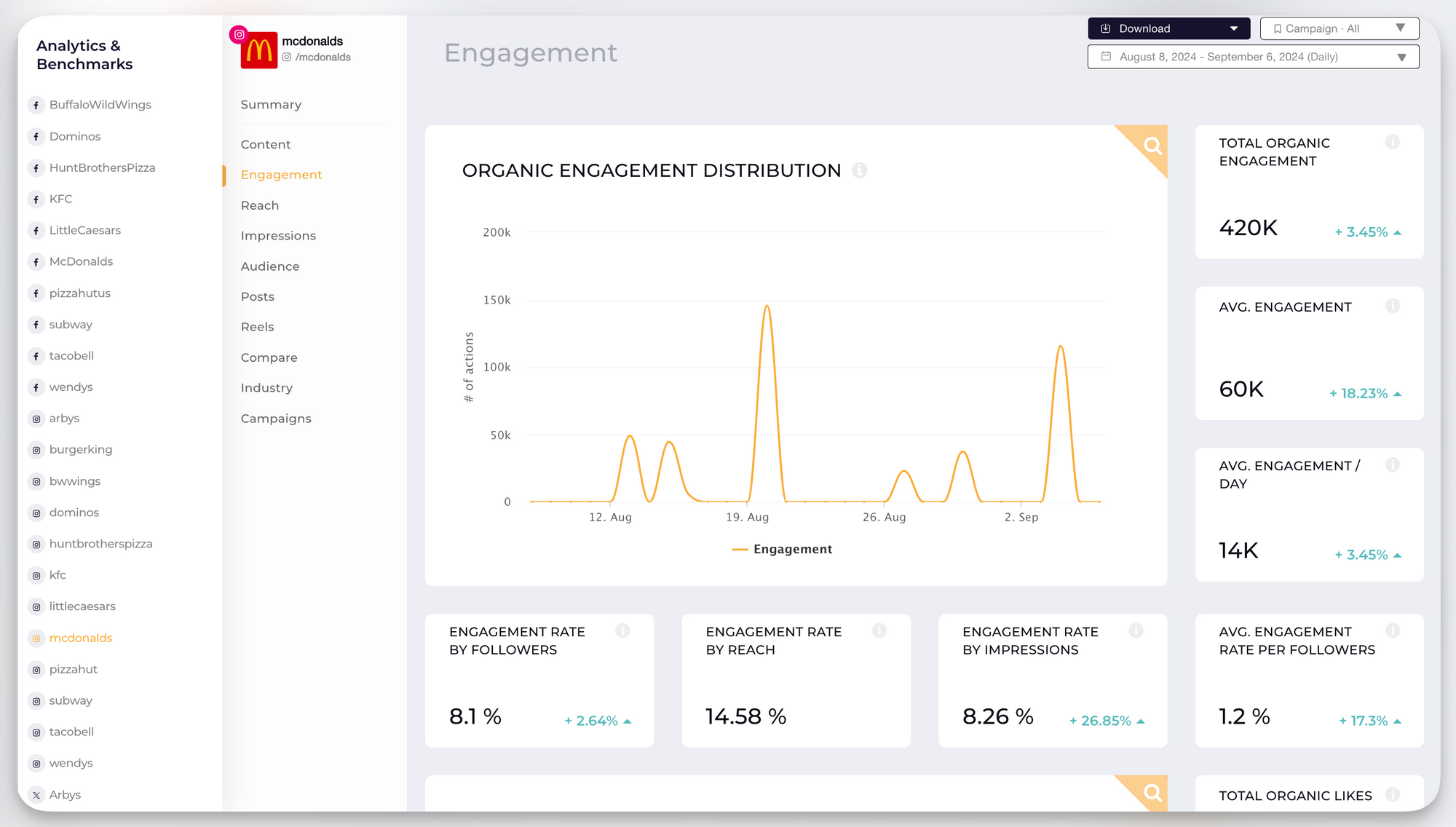
Socialinsider provides you with competitive data like:
- Follower growth
- Reach
- Impressions
- In-depth post-analytics
- Engagement metrics
- Top posts
- Average posts/day
- Follower growth
- Distribution of engagement
- Distribution of posts
Each of these KPIs are presented in a digestible graph that makes it easy to see where your brand stands amongst the competition.
Tagging and grouping social media posts
Sprout Social only allows manual tagging, one post at a time; this can quickly become labor-intensive.
Socialinsider provides:
- Manual tagging
- Automatic tagging by keywords or hashtags
- Filters for themes, campaigns, or content pillars
- Reporting based on tagged categories
This gives teams a more consistent way to structure recurring reports and analyze performance across strategic content types, without adding manual steps.
You can set up an “auto tagging” rule by inputting a set hashtag or keyword that you want to track. This feature allows you to create campaign reports within minutes. Whereas with Sprout Social, users complain that the tagging process is tedious as they can only tag one post at a time.
Social media reports
Next, let’s dig into social media reports—a key feature of any good social media analytics tool. You want your reports to be easy to pull, visually appealing, and easy to understand.
With Socialinsider, you can easily compile reports and then download them in CSV, XLS, PDF, or PPT format, giving you a range of options to choose from for presenting or making your own additions later.
Sprout Social only provides two different export formats: CSV and PDF, limiting how many ways you can save and share your results.
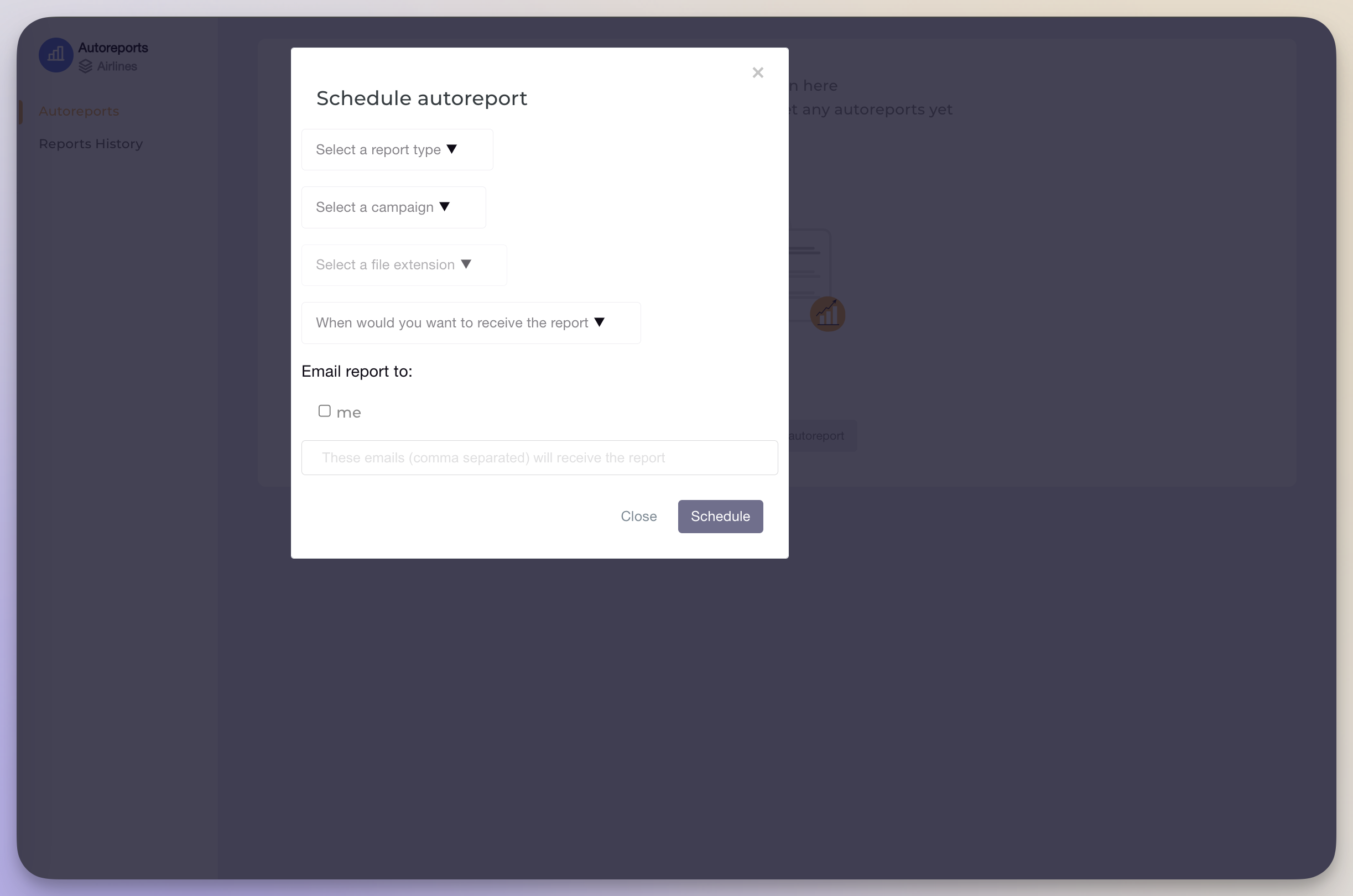
Furthermore, Socialinsider gives you the ability to create auto-reports. Simply choose the type of report you want, the platform you want it for, a campaign to focus on (if any), a file extension, and how often you want to receive the report.
Due to these comprehensive reports, Victor Mukubvu, Digital Marketing Analyst at Mitsubishi Electric, shares,
“We have managed to gather key insights based on how content has been received. We implemented changes based on the insights and have seen significant improvement.”
Price
Socialinsider’s social media analytics and competitive benchmarking tool starts at $99/month for up to 20 social media accounts (both your brand and competitors) and provides access for one team member.
For teams who already maintain internal analytics or use other tools, Socialinsider is often selected because it provides the exact benchmarking and reporting capabilities they’re missing, without requiring an investment in a full suite.
Socialinsider vs Sprout Social final takeaway
Socialinsider offers more comprehensive competitive analytics, broader export options, and reporting workflows that complement tools like Sprout Social, especially for teams that rely on Sprout for execution but need stronger analytics, benchmarking, and reporting for decision-making.
For organizations that already use Sprout Social and want to extend its capabilities with accurate competitive data, cross-platform benchmarks, and presentation-ready reports, Socialinsider delivers a focused and budget-appropriate analytics layer, without duplicating management features they already have.
2. Sprout Social alternative #2: Hootsuite
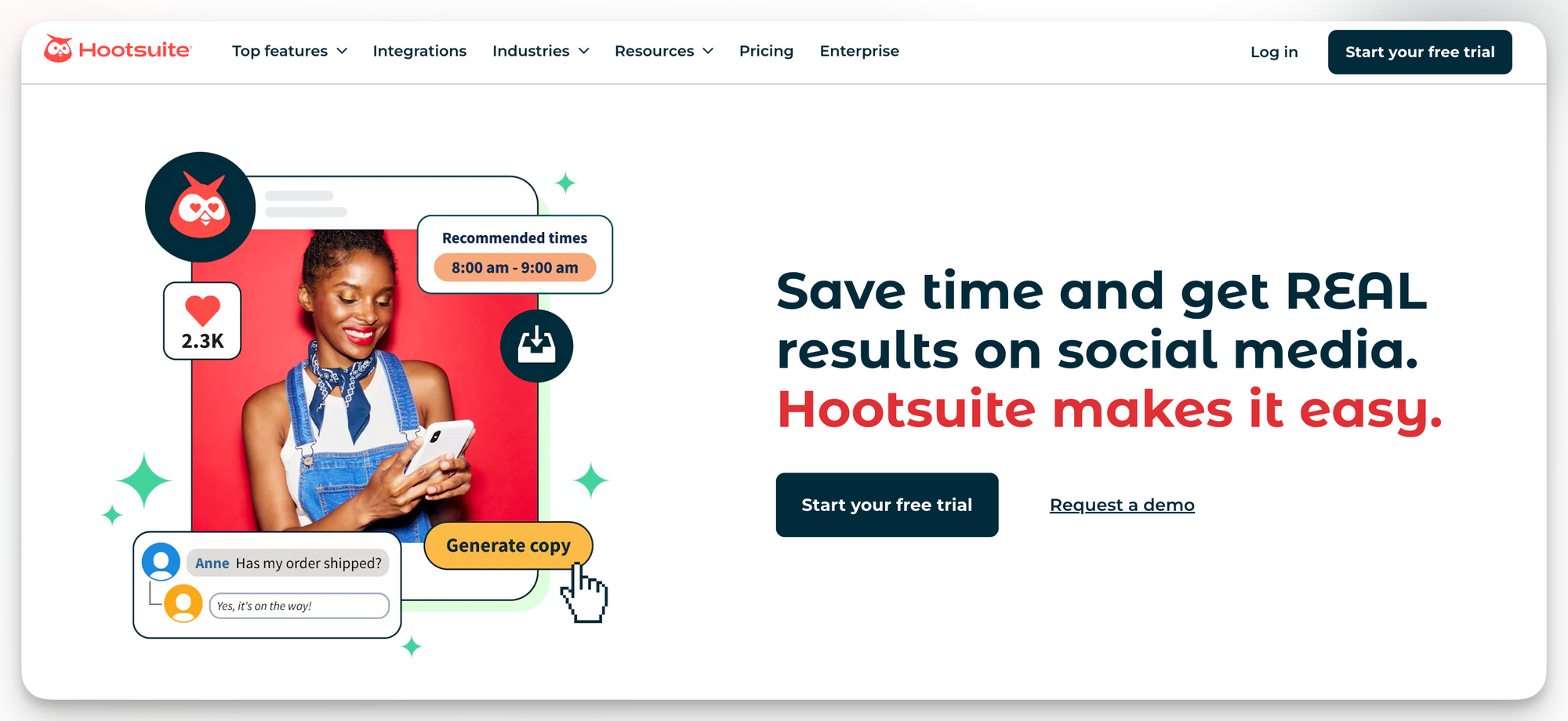
Hootsuite is an all-in-one social media management platform very similar to Sprout Social, making it another great alternative. Some of Hootsuite’s top features include social media scheduling, employee advocacy, social listening, and community management.
Of course, Hootsuite also offers its own version of competitive benchmarking and social media analytics tools. Let’s dive into how these compare to Sprout Social.
Competitive data
Hootsuite offers the ability to track 20 competitors per social media network, allowing you to dig deep into competitive data across your online presence.
Competitive data you get access to includes:
- Top posts (filtered by different parameters like comments, likes, or engagement)
- Performance by post type
- Trending hashtags
- Average post length
- Average hashtags per post
- Audience growth
- Total followers
One big downside of Hootsuite’s competitive analysis tool is that you can only compare your brand to a single competitor at a time, making the process of comparing across the board tedious and inefficient.
However, you can use the tool’s industry benchmarking dashboard that provides you with industry averages for social media performance, letting you see how you compare to your industry as a whole.
Tagging and grouping social media posts
Hootsuite allows users to create both tags and campaigns. Tags can keep your content organized, while campaigns actually allow you to measure and compare performance across similar posts within your Hootsuite dashboard.
However, you can’t retroactively add posts to a campaign. You need to plan ahead and set a time frame for your content campaigns so you can monitor all related posts within a single dashboard.
For tags, though, you can create a tag and then filter reports based on your tags to see posts that specifically mention the account, keyword, or hashtag you’ve included in your tag.
Social media reports
Speaking of social media reports, Hootsuite has a number of options available, plus the ability to create a custom report filled with specific metrics and KPIs that support your strategy.
Hootsuite also provides its users with the ability to download reports in PDF, PPT, XLS, and CSV formats, offering more options than they get at Sprout.
Reports with Hootsuite are fully customizable. Even if someone chooses a specific report, they can still access a dropdown to add more metrics that may not be automatically available with the preset report.
Users can also pin reports to a certain category or their favorite reports so that they’re easily accessible each time the social media team needs to check them out or export them to share with team leaders.
Price
Pricing is another place where Hootsuite wins out as a Sprout Social competitor. Plans start at $99/month (billed annually—you’ll have to contact the team for month-to-month pricing) for one user and up to 10 social networks. Interested users can get access to a 30-day free trial to test drive the software.
Hootsuite vs Sprout Social - final takeaway
Hootsuite is comparable to Sprout Social both in features and in analytics and competitive data.
In fact, some of its social media reporting is actually superior to Sprout. However, the ability to compare multiple competitors at once within Sprout can make certain reporting a lot more efficient.
3. Sprout Social alternative #3: Sociality

Sociality.io is an all-in-one social media management platform built for agencies and enterprise teams that want strong analytics, deep competitor insights, and no per-user fees—unlike Sprout Social.
Competitive data
Sociality.io’s competitor analytics provide a wide view of the landscape across Facebook, Instagram, and YouTube. Teams can compare up to 15 competitor pages per report, track historical trends, analyze engagement distribution, and filter top-performing competitor content. This makes it easy to benchmark performance or prepare client- and leadership-ready insights without manual data gathering.
For brands that lean heavily on comparative metrics, Sociality.io’s competitor reporting often goes deeper and is easier to scale than Sprout’s per-user model.
Tagging and grouping social media posts
Sociality.io offers granular post-level insights, including engagement breakdowns, content distribution, optimal posting times, and content performance trends. While it doesn’t use traditional “tagging” the same way some tools do, the depth of its analytics makes it simple to compare content types, themes, or campaigns over time—especially for teams managing multiple accounts or large content volumes.
Social media reports
Reporting is where Sociality.io stands out. Users can generate automated, export-ready reports in PDF, PPT, XLSX, or CSV formats with no limit on export volume. Reports can be scheduled daily, weekly, monthly, or quarterly and sent directly to stakeholders’ inboxes. Compared to Sprout Social—which limits export formats—Sociality.io supports more flexible presentation-ready options.
Price
Plans start at $99/month with a 14-day free trial. Business and Enterprise tiers include unlimited users, making Sociality.io significantly more cost-effective than Sprout Social for multi-user teams.
Sociality.io vs. Sprout Social — final takeaway
Sociality.io is an excellent Sprout Social alternative for agencies, enterprise teams, and brands that need deep analytics, strong competitor benchmarking, flexible reporting, and predictable pricing without per-seat costs. If your team collaborates across departments or manages multiple brands, this platform offers scalability Sprout Social can’t match.
4. Sprout Social alternative #4: Sprinklr Social
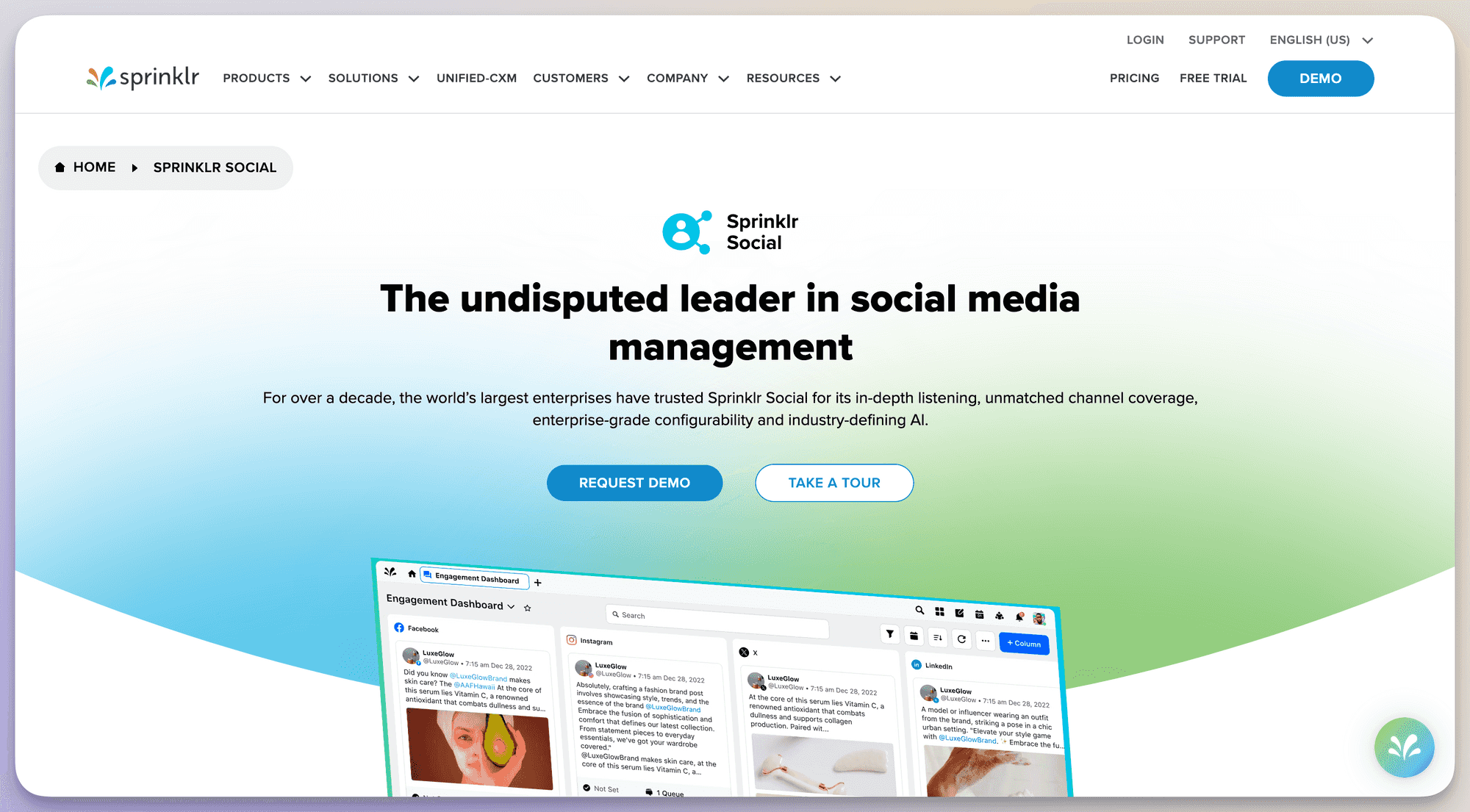
Sprinklr is an AI-powered customer experience management platform. This means its main focus is helping brands understand their customers—both through marketing and customer service tactics—so they can create a better experience with their business.
Sprinklr has four main facets of its software: Sprinklr Service, Sprinklr Social, Sprinklr Insights, and Sprinklr Marketing. Its social media-related features include publishing, employee advocacy, and social listening.
However, it offers a full competitive insights and benchmarking dashboard as a part of its Sprinklr Insights offering. Let’s take a look at how well it compares to Sprout Social and the other tools on our list.
Competitive data
Sprinklr Insights offers a number of customizable reports, one of which is of course its competitor insights report that lets users compare their online presence to that of their closest competitors.
With Sprinklr, users can add competitors to a benchmarking report and get access to metrics like:
- Mentions
- Engagement
- Engagement by post type
- Influencer performance
- Reach
- Unique users
- Follower count
One of the most unique aspects of Sprinklr’s offering is the ability to monitor influencer performance across competitors, making this a great option for businesses who often work with influencer partners.
Tagging and grouping social media posts
Sprinklr’s post grouping feature is called “Topics,” and it allows users to categorize posts both that they’ve posted and that others across social media have posted around a certain topic.
It’s one of the tool’s social listening features and it’s a great way to monitor your own performance around a topic while also measuring it against other brands and users around the web.
With Sprinklr, you can set up a new topic to use for filtering posts in your dashboard by giving it a title and then setting up a time frame you want to view posts from, providing keywords to track, and even setting geographical parameters.
Social media reports
Sprinklr’s self-service social media features offer incredible social media reporting tools. However, the Sprinklr Marketing sector also offers some marketing analytics features.
With Sprinklr, users can measure results across 30+ different channels, customize reports by adding and removing different widgets, and even set automatic report exports every week or month so they’re ready to present to the team.
Price
We’ve mentioned that Sprinklr has four different service types, right? Well, each different service option (Service, Social, Insights, and Marketing) also comes with its own price tag, though the prices are not publicly revealed on the website.
The biggest drawback of Sprinklr’s pricing strategy is that you don’t get access to its in-depth competitor benchmarking unless you subscribe to Sprinklr Insights, on top of Sprinklr Social that enables you to publish content.
Sprinklr vs Sprout Social - final takeaway
It’s undeniable that Sprinklr offers more robust features than Sprout Social. But the pricing can be even more astronomical due to the way Sprinklr has broken up its service offerings.
While you can chat with their sales team to find a plan that works for you, Sprinklr is best for large, enterprise companies that don’t have to worry about a shoestring budget.
5. Sprout Social alternative #5: Status Brew
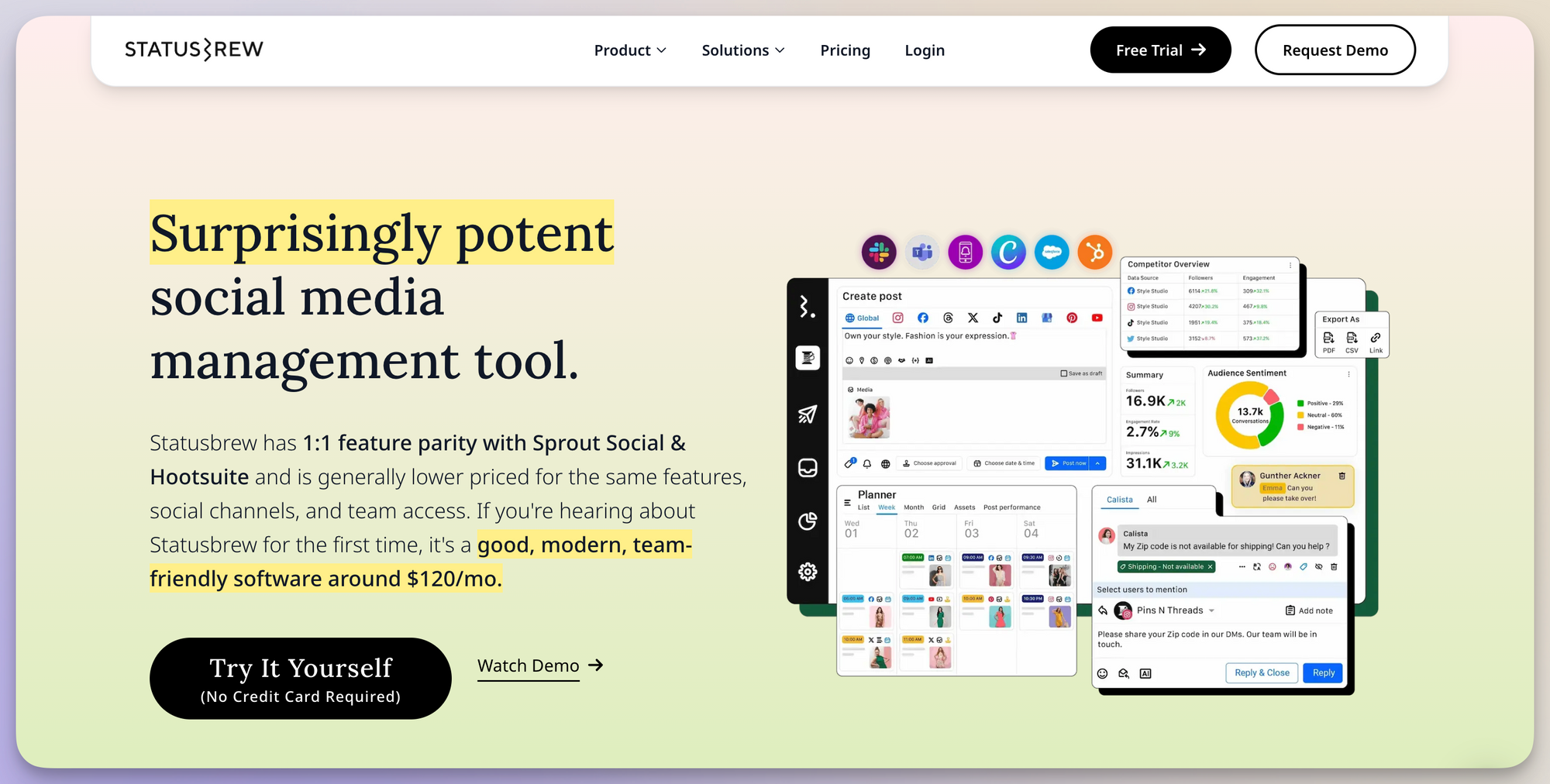
Status Brew is a social media marketing and management solution that offers features like publishing, engagement, a link-in-bio page creator, and social media reports. As we can see right on its home page, it offers its features up as comparable to Sprout Social, so let’s see if they’re right.
Competitive data
Status Brew has a number of report options, one of which is a competitor analysis. Brands can add competitor profiles to their analysis report to get a birds eye comparison of metrics like:
- Likes
- Shares
- Clicks
- Comments
- Impressions
- Reach
- Follower count
Stick to their competitor analysis report template or customize it to add even more metrics you want to compare across profiles.
Tagging and grouping social media posts
With Status Brew, you can tag social media posts as you publish them so they remain in an internal category. If you’ve forgotten to tag a post or you’re just getting started with tags, you can go back to old posts and add your tag. Keep in mind that this has to be done manually, which can be a bit of a time suck.
You can then use these tags to filter your posts in your social media reports, helping you monitor how certain topics are performing.
Social media reports
Status Brew shines when it comes to social media reporting. It offers a number of pre-made templates to get you started, but you can add and remove widgets and KPIs from each one to fully customize your social media reports across different platforms with the exact metrics you want to track.
You can pull data from 20+ social media platforms and other online channels to get the full picture of your online presence’s performance. Get a public, shareable link of your report, or export in a CSV or PDF file format.
Price
Status Brew remains one of the more affordable tools on our list with plans starting at just $69/month. That also gets you access to the tool for two users, whereas most platforms only start with single user access.
However, this only gets you access to management and analytics tools for five social media platforms, so brands with a larger presence will have to invest in one of the bigger plans.
Status Brew vs Sprout Social - final takeaway
Status Brew is a great alternative to Sprout Social in that it offers comparable features at a fraction of the cost. However, this is also because the tool is less robust, making it a great option for small businesses, but not as functional for large enterprises.
6. Sprout Social alternative #6: Metricool
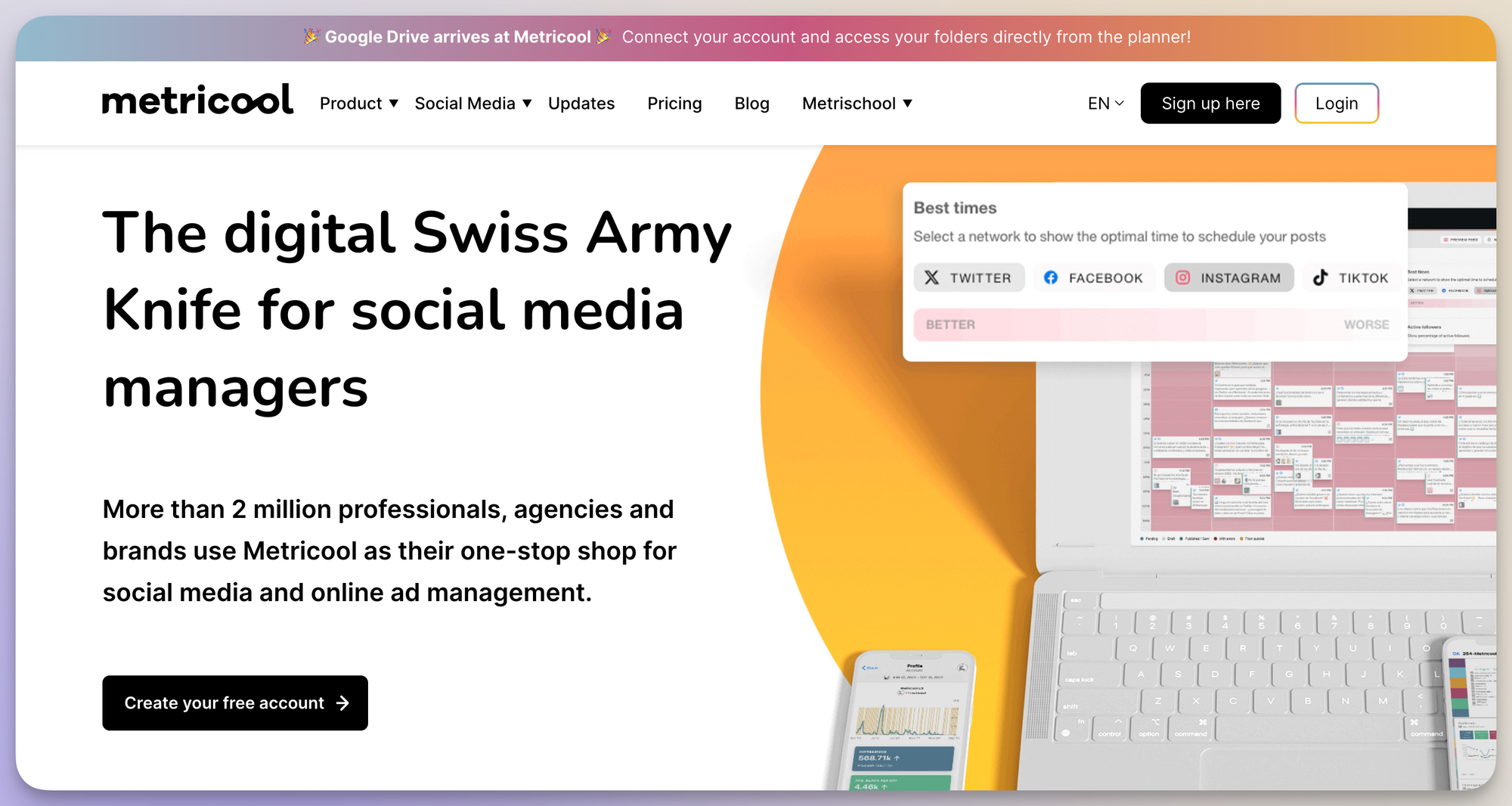
Metricool is a social media management tool that offers features like social media calendar planning, a social inbox, client approval, hashtag tracking, and social media analytics/reporting. In fact, Metricool offers even more features than you can find with Sprout Social.
Let’s dig in to see if those features are as robust as Sprout’s, though, making them a viable alternative.
Competitive data
With Metricool, you can compare your social presence to competitors on a platform-by-platform basis, getting access to basic competitive data like:
- Follower count
- Post count
- Likes
- Comments
- Engagement
You can also dig deeper into each competitor’s profile to make sure you’re stacking up.
Tagging and grouping social media posts
Metricool doesn’t offer a way to tag your own social media posts so that you can filter them in your reporting, but it does have a hashtag tracker that lets you track hashtags and keywords across certain social media platforms to see how they’re performing.
This is helpful for branded campaigns and live events so that you can see how many other people are using your hashtag and if it’s spreading and reaching a wider audience like it was intended.
However, Metricool’s hashtag feature works only on a credit basis, meaning brands interested in tracking hashtags have to purchase credits for each day of tracking they want to have access to, and each credit only gives them access to tracking for that day.
While this can be useful for single-day events, it becomes a problem when hashtag or keyword tracking is a large part of your social media analytics strategy.
Social media reports
Metricool offers a number of basic social media reports across nearly any social media platform you’d like to use. You can also get access to a summary report that provides you with a birds eye view of your entire online presence’s performance.
One great feature of Metricool’s reporting is that you can also set an automatic export so that your report is delivered to your inbox just in time for any recurring meetings and presentations you might have.
Metricool supports exporting files in CSV, PPT, or PDF. It also has a Google Looker Studio connector so that brands can connect their data to Looker Studio for further data visualization.
Price
Metricool offers a completely free account that allows brands to connect one of each social media platform to the tool in order to get basic management and analytics tools. This also includes the analysis of five competitors. However, the free plan excludes X/Twitter and LinkedIn analytics.
This makes Metricool a perfect starting option for new and small businesses who want to be strategic about their online presence but simply don’t have the budget for these big name tools.
Metricool’s premium plans start at $22/month for up to 10 social media accounts per platform, analysis of 100 competitor profiles, and the inclusion of LinkedIn and X/Twitter analytics.
Metricool vs Sprout Social - final takeaway
Yes, Metricool is affordable. However, its tool is basic at best. To us, this makes it the perfect option for businesses that are just starting out with a social media strategy and don’t want to invest in a platform before they know all of the different ways they can use it.
7. Sprout Social alternative #7: NapoleonCat
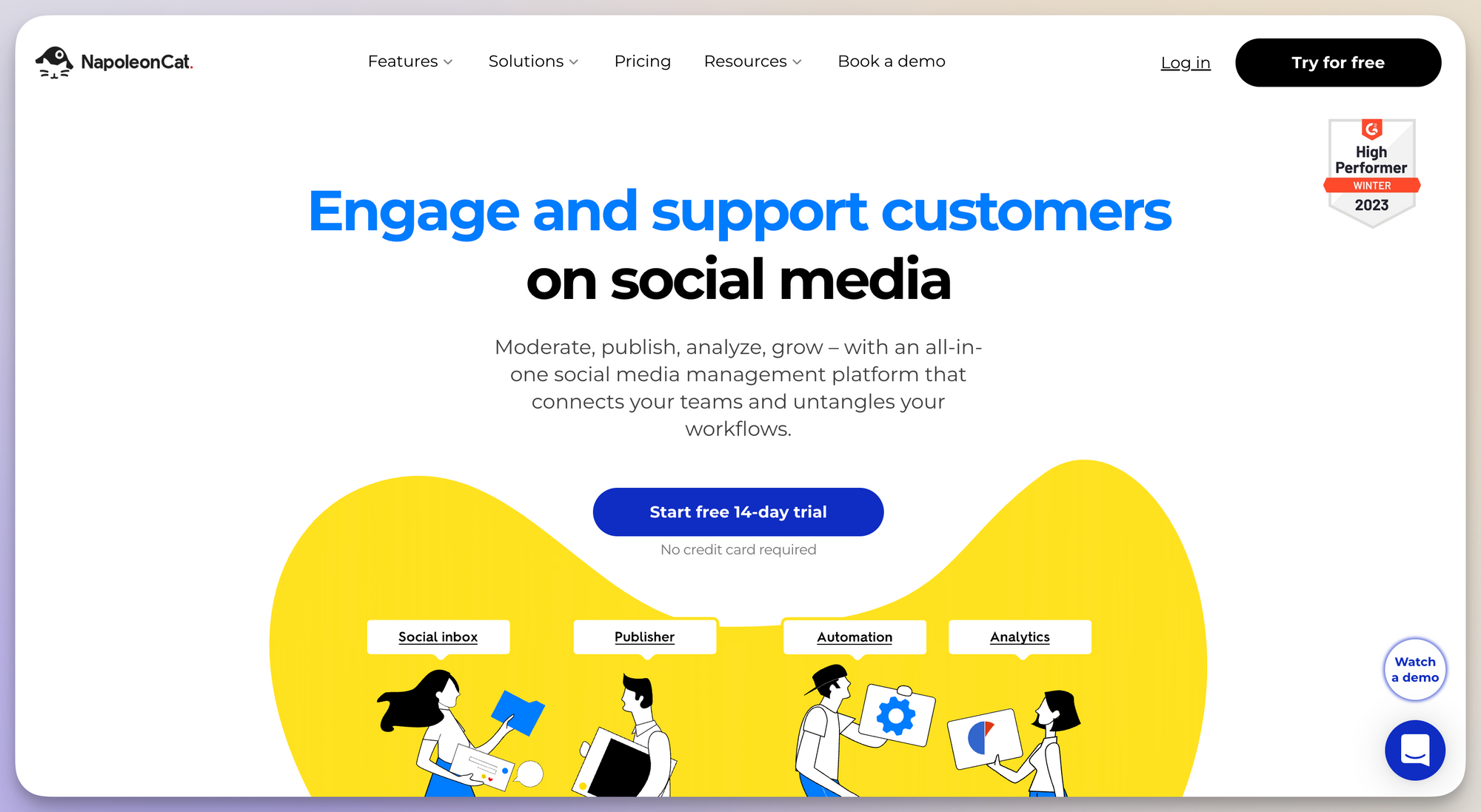
NapoleonCat is another social media management platform with features like a social inbox, publishing capabilities, a social CRM, and analytics and reporting tools. The platform also offers social automation features, setting it apart slightly from some of the other tools on this list.
Let’s dig into its analytics and reporting capabilities to see how it stacks up against Sprout and some of the other competitors.
Competitive data
NapoleonCat’s social media analytics dashboard allows users to add competitors to a monthly competitive analysis report—however, users aren’t able to access the data until they’ve had the competitor accounts connected for at least 24 hours.
Once the report has fully synced up, users get access to competitive data like:
- Follower count
- Total posts
- Average engagement rate per post
- Average reactions per post
- Average comments per post
- Average shares per post
Users can also dig deeper into individual posts to see their performance.
Tagging and grouping social media posts
NapoleonCat doesn’t offer the ability to tag or group social media posts, then filter by said tag in order to check post performance around a certain topic, campaign, or category.
What NapoleonCat does offer is the ability to create data sets that consist of different profiles as yet another way to categorize your competitor insights.
Social media reports
NapoleonCat’s social media analytics may leave some to be desired, but they do have a few great features. First of all, users can generate reports for multiple social media accounts from the same platform (up to 8), schedule reports to auto-generate and be sent at certain time frames, and even whitelabel your reports to make them immediately on-brand for your presentations.
However, they can only be exported into PDF or XLSX format, giving users a limited number of options for sharing and editing their reports.
Price
NapoleonCat’s pricing is extremely flexible, letting users build plans based on the number of social media platforms they need to connect and the number of users they need to give access to the tool.
Their cheapest plan, giving access to one user for three social media platforms, starts at just $32/month. However, while this plan does provide full competitive data access, there’s no ability to use the reporting features unless users move to the next tier plan, which starts at $79/month.
NapolenCat vs Sprout Social - final takeaway
NapoleonCat doesn’t have nearly as many of the features as Sprout Social does, only coming in first with some of its automation tools. And with the price point being what it is for how little users can get access to, we certainly don’t think it’s one of the better options on this list.
8. Sprout Social alternative #8: Buffer

Buffer promotes itself as the all-in-one social media toolkit that businesses need. It’s a good Sprout Social alternative in that the two tools offer nearly the same set of features as part of their own separate “toolkits.”
Let’s dig deeper into Buffer’s features and see how it measures up.
Competitive data
While Buffer does have a number of features that make it comparable to Sprout Social, competitive analysis simply isn’t one of them. Instead, its analytics features focus solely on a brand’s own performance.
Tagging and grouping social media posts
Buffer does offer the option to tag like social media posts inside your dashboard, a feature that was just released in Q4 of 2023. In Buffer, this feature can be used to organize content ideas within your “Create” dashboard as well as to filter analytics based on content type.
One great characteristic about this feature is that your tags will stay assigned to the content, no matter where it lives—from idea, to the content queue, to your past published posts for analytics.
However, the tagging process in Buffer is still a manual one. There’s no way to automatically tag posts at bulk in order to pull a large amount of past content into a single category.
Social media reports
Buffer offers a number of social media reports for users to access performance for each of their social media networks. Metrics include:
- Follower count
- Page views
- Impressions
- Reach
- Engagement
- Follower growth
Users can create custom reports that get updated daily. White label them so they match your brand, then export as PDF or image files to add to a presentation. Unfortunately, Buffer doesn’t offer any other export options.
Price
Buffer has a completely free plan that gives access to publishing features for up to three social media accounts. But if you’re looking for analytics features, you’ll need to upgrade to their premium plan that starts at $5/month per social media account.
Buffer vs Sprout Social - final takeaway
Buffer is comparable in a lot of ways when you look at some of Sprout’s social media management features. However, without any built-in competitor analysis capabilities, it certainly isn’t a great fit for brands looking to use benchmarking alongside their reporting.
9. Sprout Social alternative #9: Iconosquare
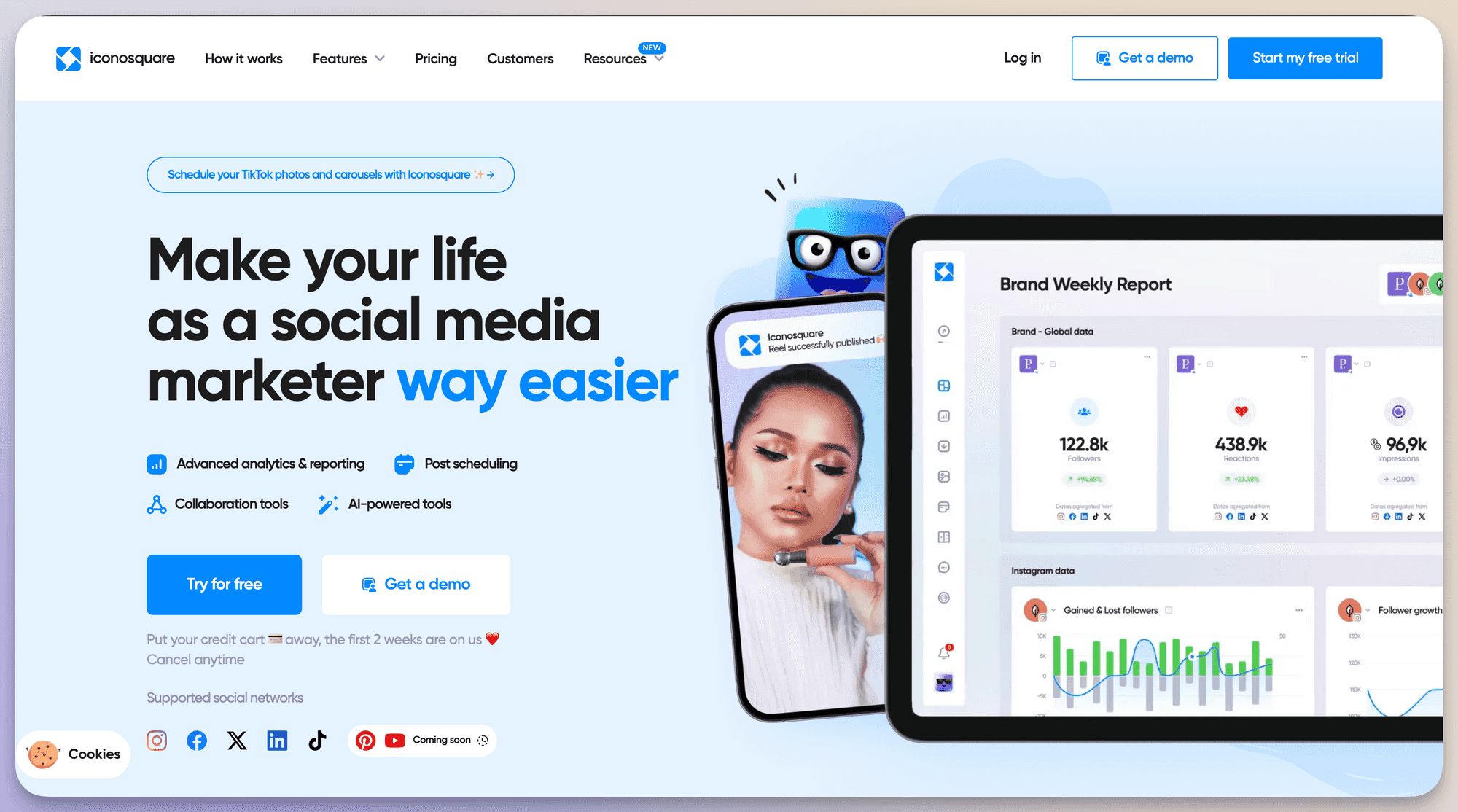
Iconosquare is a social media management and marketing tool that offers features such as social media publishing, team collaboration, social inbox, social listening, and of course, analytics and reporting. Iconosquare also offers AI-powered marketing tools like content idea generation.
Competitive data
Iconosquare offers a basic competitive analysis as part of its social listening and monitoring toolkit. It also only offers competitive data for Facebook and Instagram, making this an option mainly for brands who heavily rely on those two platforms as part of their strategy.
The data users get access to includes:
- Follower count
- Post count
- Average engagement rate per post
- Follower growth
- Post type
- Post reach
- Posting times
Users can also track relevant hashtags to see how they’re being used by competitors and other online users.
Tagging and grouping social media posts
Iconosquare’s post tagging capabilities work a little strangely compared to other tools on our list. Users can tag media from their media library rather than specific posts or topics. This means that only media posts can be filtered using these tags/labels.
However, you can still keep an eye on their performance by filtering for your tags within your social media reports.
Social media reports
Iconosquare’s social media analytics and reporting tools are probably one of its best features. Users can create fully custom reports by compiling metrics from a list of 100+ KPIs. Pre-built widgets can be dragged and dropped onto your reports to create visually appealing and easy-to-understand dashboards.
You can also set custom time frames for pulling different reports that will be automatically available whenever you need them, like a mini weekly report or a full-fledged quarterly report. You can pull these reports in either XLS or PDF format.
Price
Iconosquare is one of the more affordable options on our list, especially given how useful its reporting features are. Plans start at $33/month for a single user and up to five social media profiles. All plans get unlimited access to every feature—the main limitation is around data retention. The lowest plan only keeps your data for up to 12 months.
Iconosquare vs Sprout Social - final takeaway
Iconosquare can be a good alternative to Sprout Social for brands looking for similar features on a small scale—and for a smaller price point. However, brands who want robust tagging capabilities are better off looking for a different option.
Find the right Sprout Social alternative for your brand
Make sure you choose a Sprout Social alternative that gives you the platform coverage, competitive benchmarks, and reporting formats your organization relies on. Every team’s requirements differ, but if your priority is accurate comparative data, efficient reporting, and support for platforms not covered in your current setup, tools like Socialinsider are designed for that type of workflow.
If you need consistent competitive insights, export-ready reports for leadership or clients, or cross-platform benchmarks you can trust, we’d love for you to try Socialinsider and explore its full analytics and reporting capabilities.
FAQs about Sprout Social alternatives
How do I add competitors and compare their data with my own company’s data on the same dashboard in Socialinsider?
You can add competitor accounts in Socialinsider by navigating to your project and using the “Add Profile” option to search and select public profiles you wish to track. Once added, competitor profiles appear alongside your owned accounts in your project dashboard, enabling direct comparison of analytics and metrics within the same workspace.
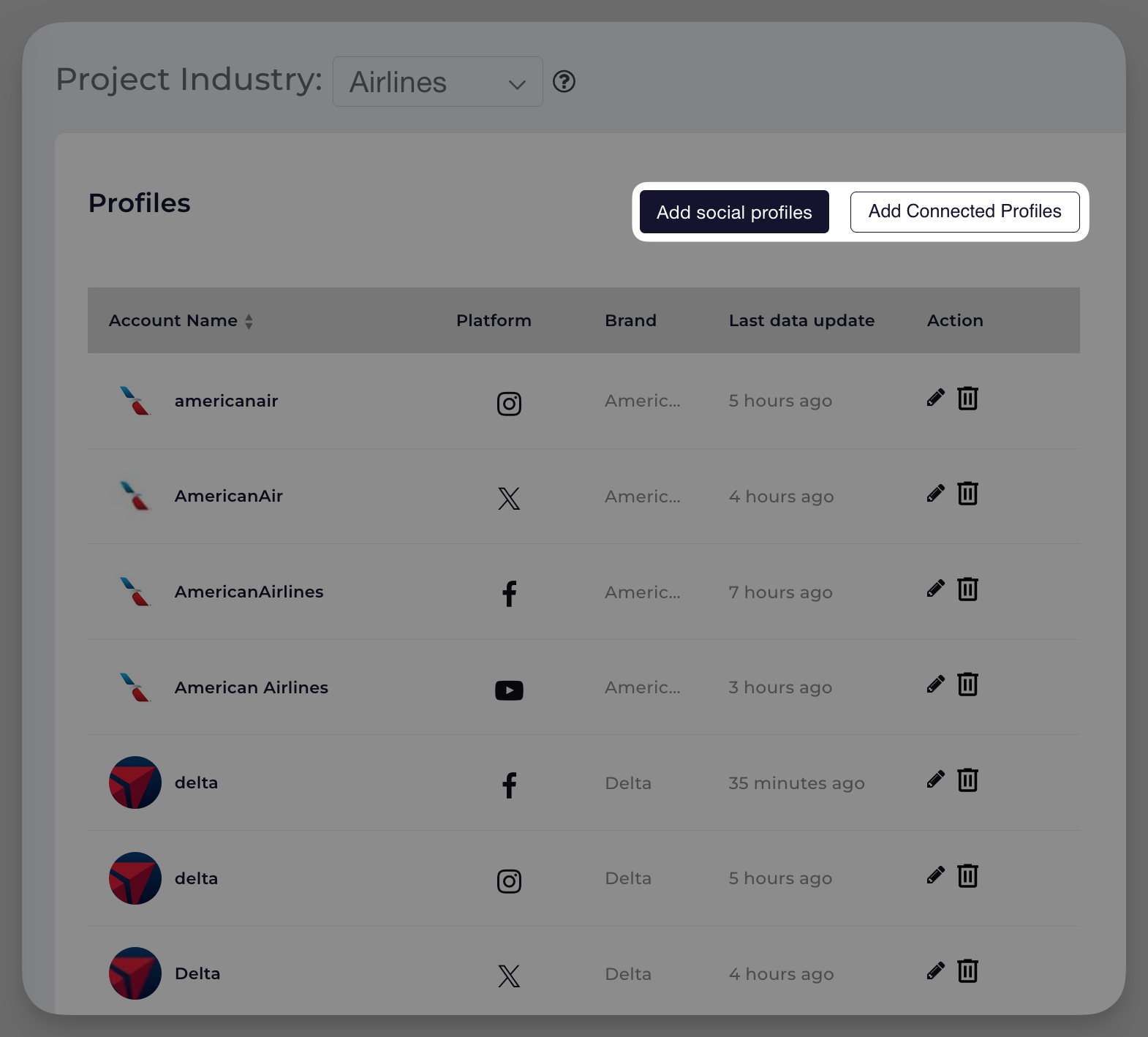
What are the differences in analytics depth, especially for competitor tracking and content pillars, compared to Sprout? How much historical data is available in the trial and paid plans?
Socialinsider provides in-depth analytics for both owned and competitor accounts, covering key metrics such as engagement, reach, impressions, audience growth, and content performance. For competitor tracking, data is limited to publicly available information. Content is automatically categorized into pillars to help analyze your strategy.
The amount of historical data available depends on the profile, platform, and your subscription plan:
- For owned profiles: Historical data is available from the time the profile is connected and, in some cases, for up to one year prior, depending on the platform’s API.
- For competitor profiles: Data collection starts from when the profile is added, with no access to past data. During trial, you have access to the same historical limits as paid plans, subject to platform-specific restrictions.
Are there differences in data refresh rates or access to private metrics versus public data?
Yes. For owned (authenticated) profiles, Socialinsider accesses private metrics—including reach, impressions, and detailed engagement—directly via platform APIs, with regular data refreshes (typically daily or as allowed by the platform API). For competitor (public) profiles, only public metrics are available, and refresh rates are also subject to platform limitations.
What integrations are available? Are there extra fees for these?
Socialinsider supports integrations with its API and Looker Studio (formerly Google Data Studio) as add-ons, allowing for advanced reporting and data exports. For details about the extra fees, please refer to our Pricing page.
How do I manage or swap profiles and competitors within the dashboard in Socialinsider?
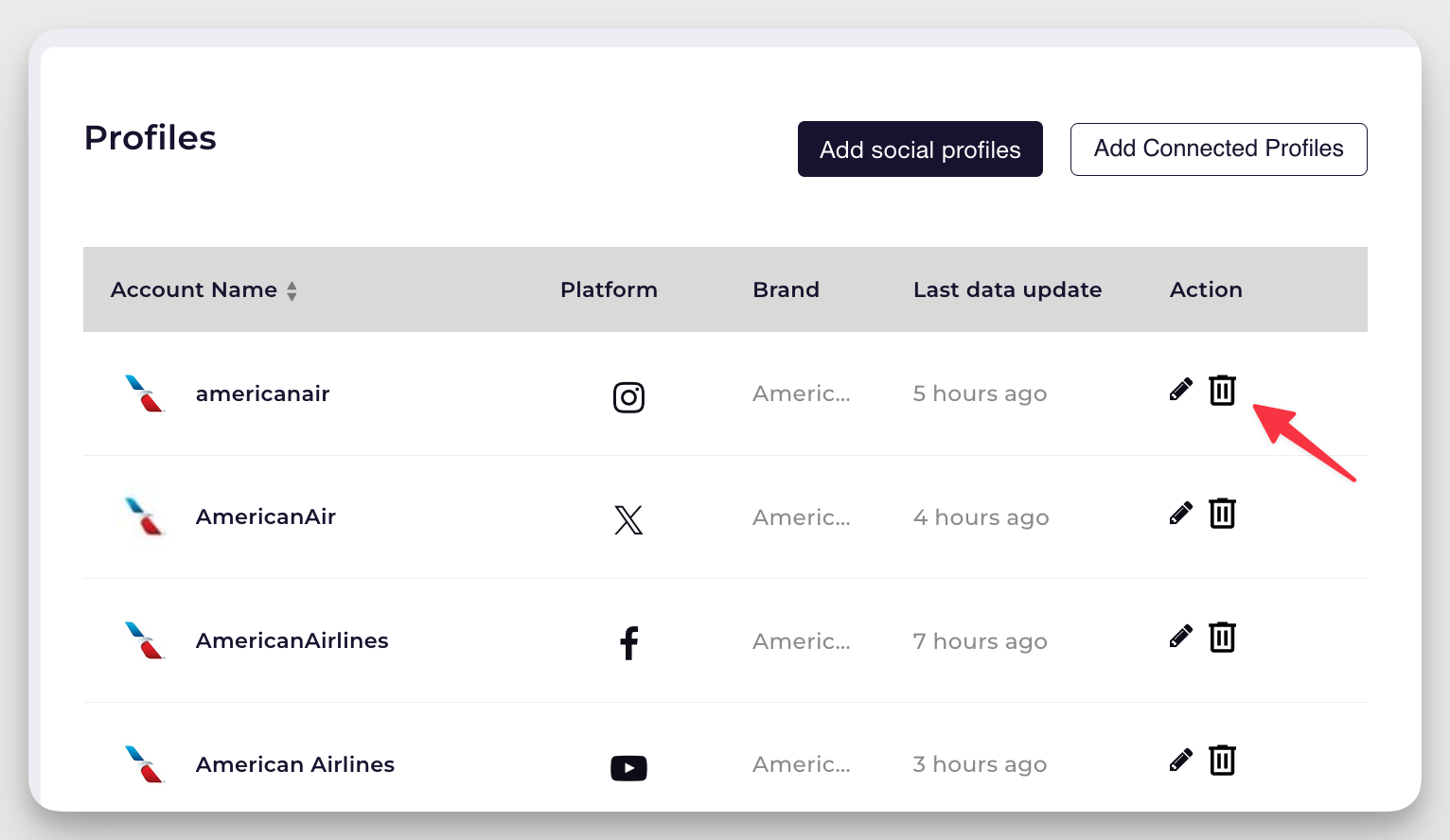
You can add or remove profiles and competitor accounts from your project dashboard at any time. The number of profiles you can track, and the frequency of swaps (removals/replacements), depend on your subscription plan. To manage profiles, use the profile management options in your project workspace. For specific swap allowances or limits, refer to your plan details or contact your account manager.
What onboarding and training support is available for teams transitioning to Socialinsider from Sprout Social?
You can request onboarding support and personalized demo sessions for your team when transitioning to Socialinsider. These sessions help familiarize your team with platform features and workflows, ensuring a smooth migration and adoption process.
How does the Socialinsider customer support work?
Socialinsider provides support via live chat and email during business hours. If needed, you can schedule a demo call for assistance with onboarding, account issues, and platform guidance. For questions outside business hours, you can submit a request, and the team will respond during their next available shift.
What is the process for authorizing profiles to access private data?
To access private metrics for your company’s profiles in Socialinsider, you must authorize each profile individually. This involves logging in with the account credentials and granting Socialinsider the required permissions through the platform’s official API. Once authorized, Socialinsider can collect private data (such as reach, impressions, and follower demographics). For competitor accounts, only public metrics are accessible, and no authorization is required.
How does your pricing structure work, especially for multiple profiles or brands?
Socialinsider’s pricing is based on the number of profiles (accounts) and brands you wish to track. Plans scale according to volume, with the option to select or adjust profile limits as your needs change. For those with large numbers of profiles or brands, custom plans and pricing are available. The Enterprise price calculator on our Pricing page provides estimates for higher volumes.
Chloe West
Chloe West is a digital marketer working in social media, content, email marketing, and more since 2014. When she's not working, you'll find her playing card games or reading romance novels.

Know what your competitors do — before your manager asks
Get instant social benchmarks & reports without manual work.