7 Best TikTok Analytics Tools:(Tested & Compared) Features, Use Cases & Pricing
Discover here the best TikTok analytics tools from tested and compared across reporting, trend analysis, and influencer discovery.


Social media life became easier when I accepted that TikTok growth comes not from trend-hacking or magical posting rituals, but from reading and understanding my TikTok analytics.
A good TikTok analytics tool helps you move past vanity metrics and see what’s really happening behind your performance. You need reliable data to build on top of what’s already working instead of hopping from one trend to another and starting from scratch in between.
The tricky part is that there are a LOT of analytics tools out there, and choosing one is not that easy.
So I’ve gathered 7 TikTok analytics tools for social media teams looking for better reporting, competitor insights, influencer analytics, and trend tracking.
Key takeaways
-
What is the difference in TikTok analytics tools? TikTok analytics tools differ depending on the problem they’re solving. Tools like Socialinsider focus on performance data, in-depth analytics, and competitor research, while Modash helps with influencer marketing.
-
How to choose a perfect TikTok analytics tool? Analyze your analytical workflow and identify which parts need support. Choose a TikTok analytics tool that ticks all of your feature boxes, aligns with your pipeline, and fits the budget.
-
What features are most common in TikTok analytics tools? Most popular features are performance metrics analysis, in-depth content breakdown by topics and pillars, competitor monitoring, and trend analysis.
Why do marketers need a third-party tool for TikTok analytics?
TikTok, like any other social media platform, offers a built-in analytics suite. It's relatively easy to use and can be enough when you're just starting out on TikTok.
But for in-depth, ongoing analysis that supports a content strategy and gives you meaningful signals, I'm not a fan of native TikTok analytics. Here's why:
- Historical data is capped at one year. If you want to run a TikTok audit or compare results year-over-year, that data simply isn't there.
- The experience is inconsistent across surfaces. The analytics look and read differently on mobile, desktop, and TikTok Studio, and I personally find that really frustrating to work with.
- Trend analysis is too generic. TikTok has an "Inspiration" tab that surfaces trending topics, but the recommendations are broad, and you have very little control over fine-tuning them.
- No competitive insights. There's no way to track competitor accounts within TikTok. You're left manually checking their posts and counting likes and views yourself.
- No cross-platform view. Unless you're copy-pasting data into a spreadsheet, TikTok gives you no way to see how it fits into your wider channel mix.
If TikTok is a meaningful channel in your strategy, native analytics will hold you back. That's why many marketers turn to third-party tools for a smoother workflow, deeper data, and insights they can act on.
How to choose the right TikTok analytics tool for your brand?
The main rule when choosing a TikTok analytics tool is finding the right balance between the features you need and the budget you have.
A common mistake is going after the tool with the longest feature list. But in practice, many of those features won't fit your workflow, and the ones that matter most might be missing.
Map out your workflow first. Identify the stages where better data would make the biggest difference, and use that as your filter. A solid feature set typically includes:
- In-depth metrics. Engagement rate, watch-through ratio, audience drop-off points — the data that tells you how your content is performing and how your audience is behaving.
- Cross-platform coverage. If you need an analytics tool, you probably need it across all your channels. Cross-platform analysis helps you understand how TikTok fits into your overall strategy and how different channels interact.
- Competitive insights. Tracking competitors puts your own metrics in context. It helps you spot where you're falling short and where you're pulling ahead, and gives you real input for improving your strategy.
- Automated reporting. Some call it a nice-to-have, but I find it genuinely useful. Set up your report once, and it arrives every reporting period in a consistent format. No manual work, no human error.
- Pricing structure. Budget is always a constraint, so look closely at how pricing is built: price per seat, per feature tier, per channel. Understanding the model upfront makes it easier to scale up or down without surprises.
Best TikTok analytics tools on the market right now
#1. Socialinsider — best for cross-platform reporting
Socialinsider is dedicated to analytics and competitive intelligence, and it delivers on that data diligently.
The focus is entirely on giving social media managers the depth of data they need to understand performance, benchmark against competitors, and build a data-driven strategy grounded in real signals from the platform.
Key capabilities
In-depth TikTok analytics
Socialinsider tracks all core TikTok metrics at both the video and account levels: engagement rate, views, likes, comments, shares, saves, and follower growth.
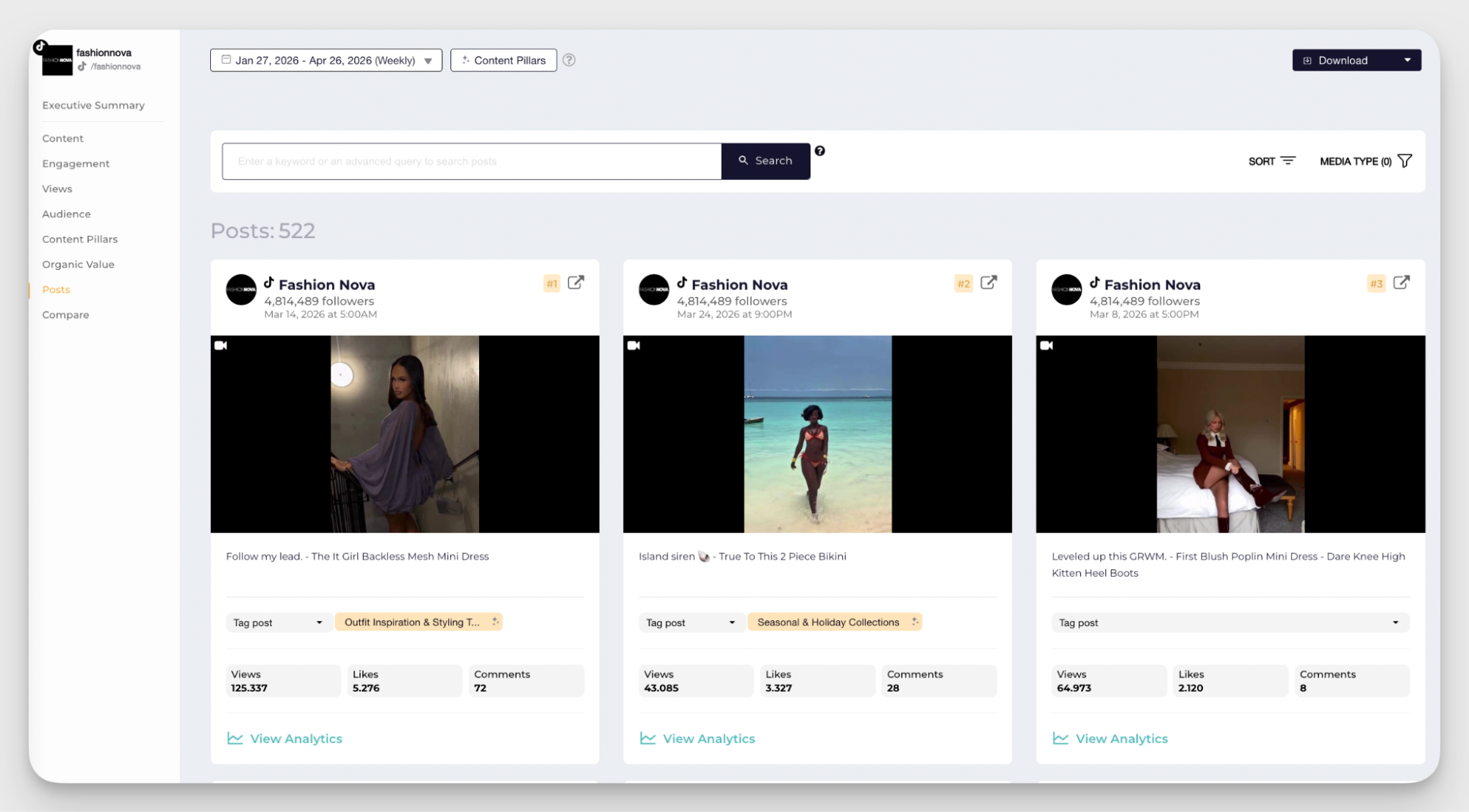
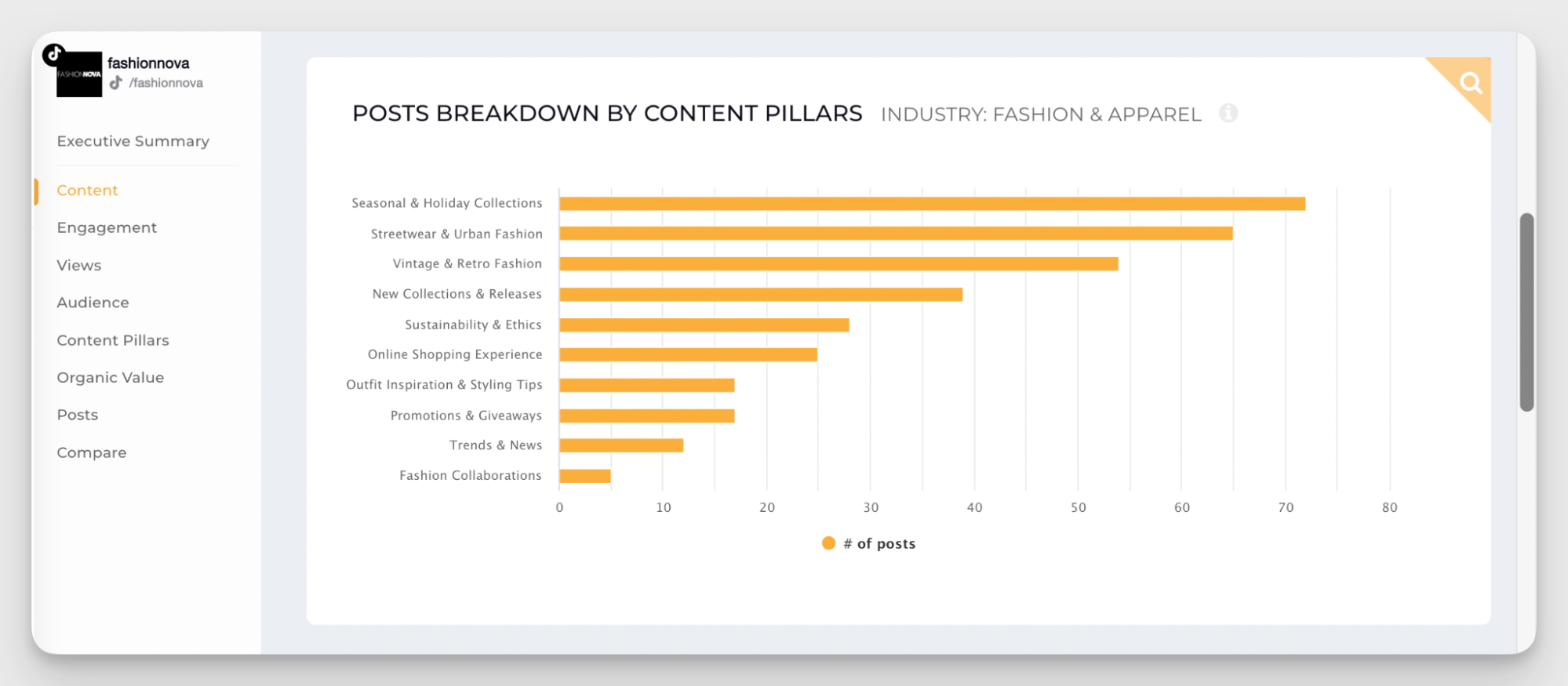
But then it adds another layer of data and interpretation on top of performance metrics. You can analyze top-performing posts and break down results by content pillar to see what topics are consistently performing better than others.
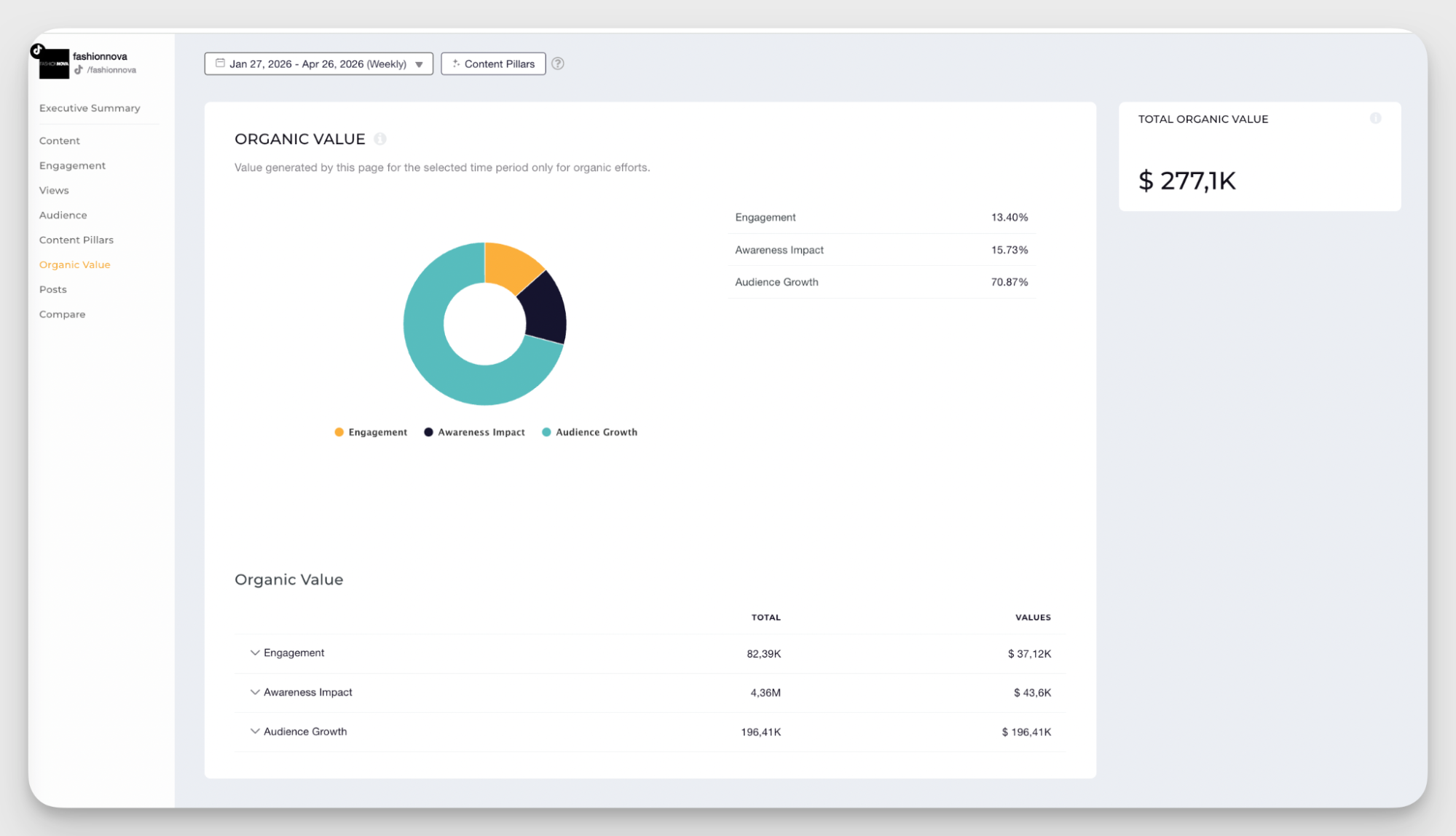
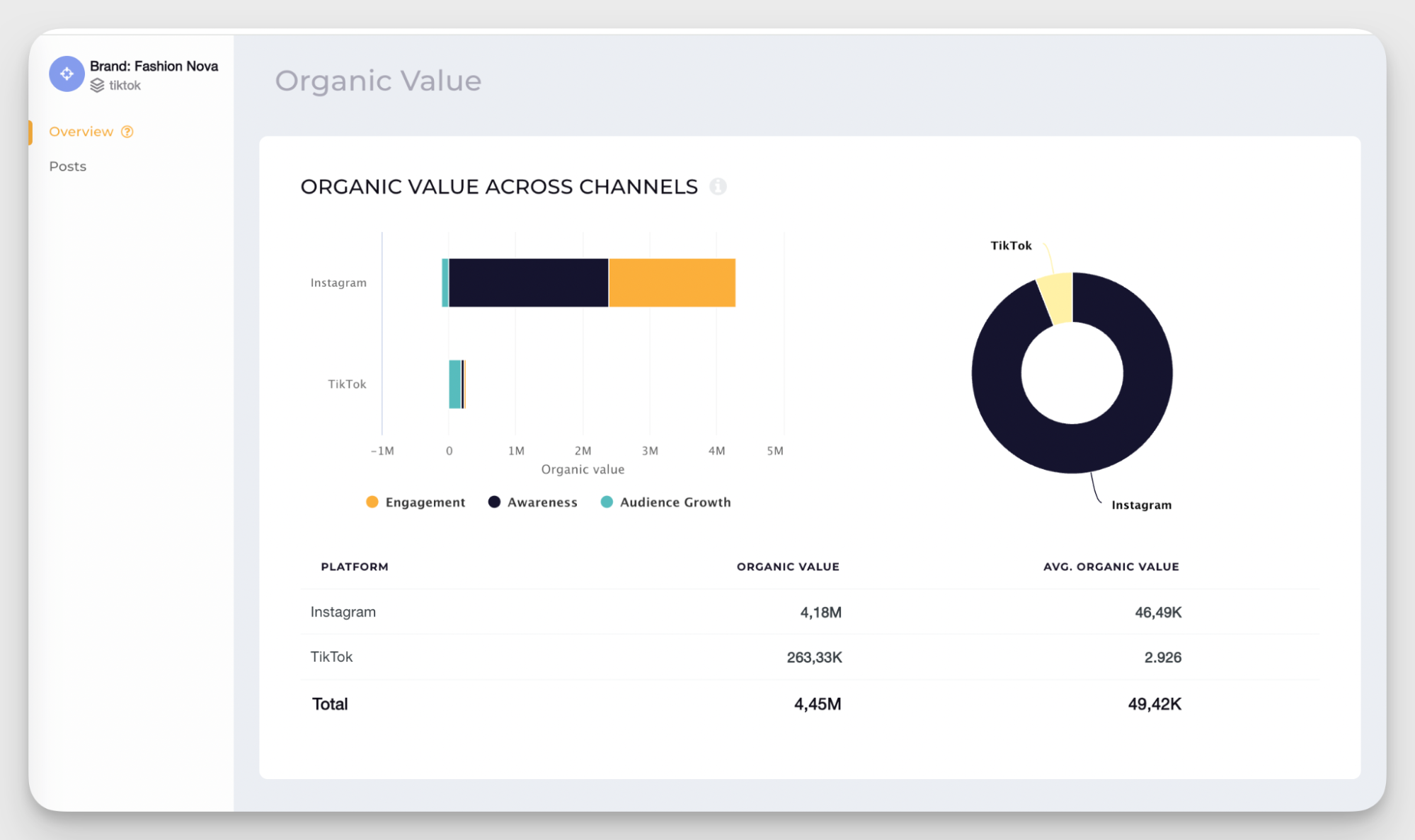
My personal favorite metric is Organic Value — a metric that estimates what your organic TikTok results would cost if you were running paid ads instead. It's particularly useful when reporting to stakeholders who want to understand the business impact of your content.
Cross-platform performance data
In a solid social media strategy, channels work together, and Socialinsider reflects that.
You can analyze TikTok performance on its own or switch to a cross-channel view to compare TikTok to Instagram, Facebook, LinkedIn, YouTube, and X. Socialinsider also provides an aggregated report for brands, bringing together data from different sources.
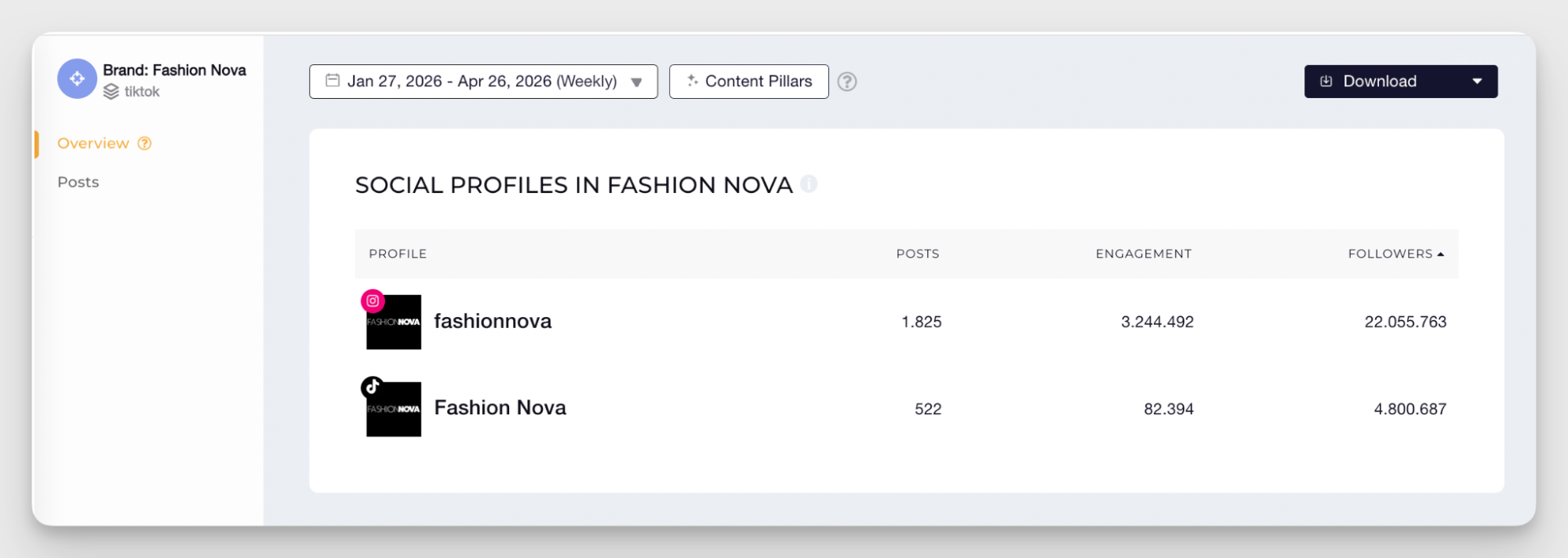
Organic Value can also be broken down by channel. This makes it easy to compare how TikTok stacks up against other platforms and prove its value to the strategy.
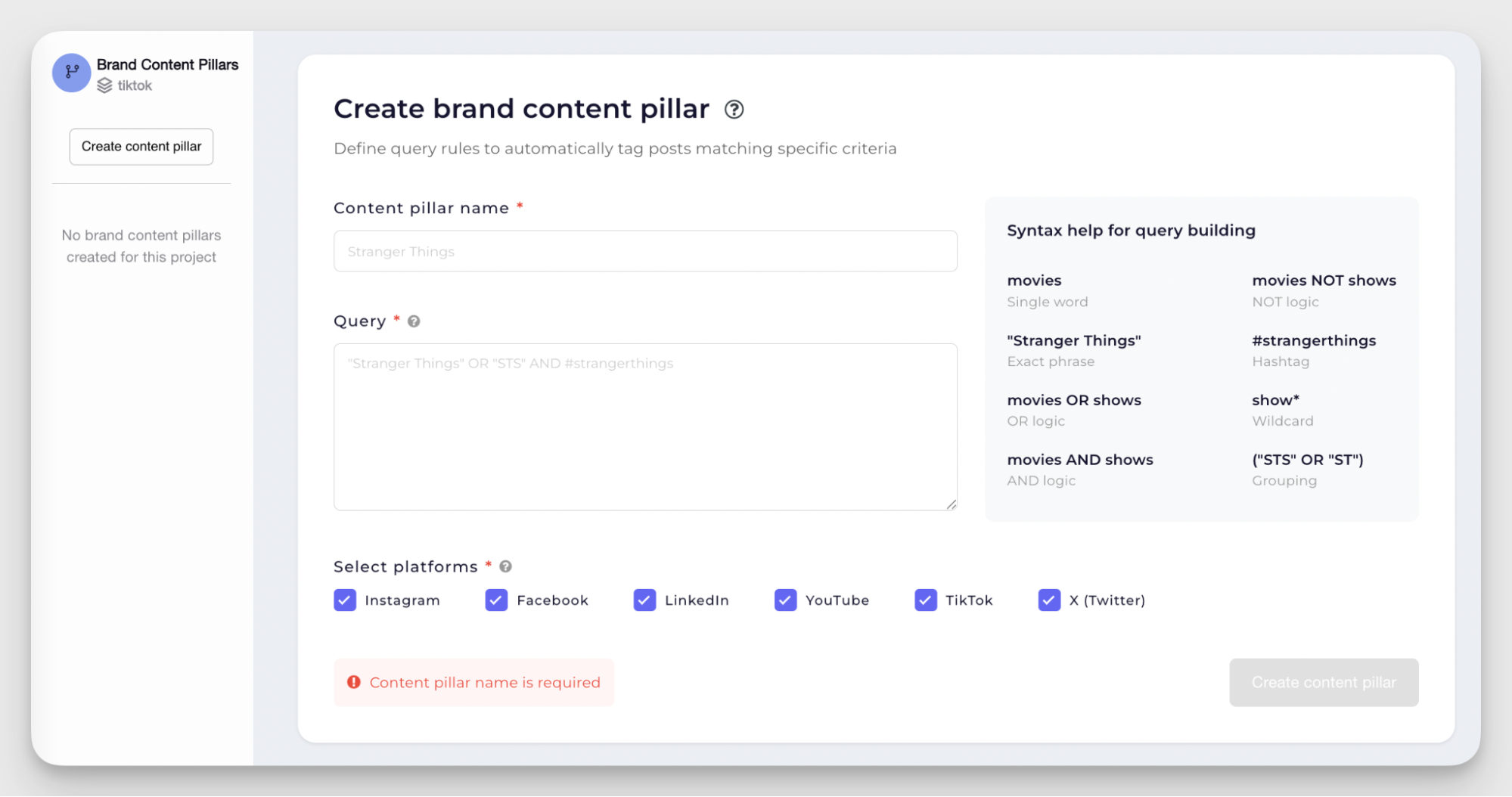
Query builder for campaign performance analysis
Socialinsider’s Query Builder is a part of the content tagging system that helps you categorize TikTok content.
You can create custom queries based on keywords, hashtags, or captions to automatically group content into larger buckets like campaigns, product launches, educational posts, creator partnerships, or promotions.
Automated reporting
Socialinsider lets teams build fully customizable reports and schedule them to send automatically to stakeholders regularly.
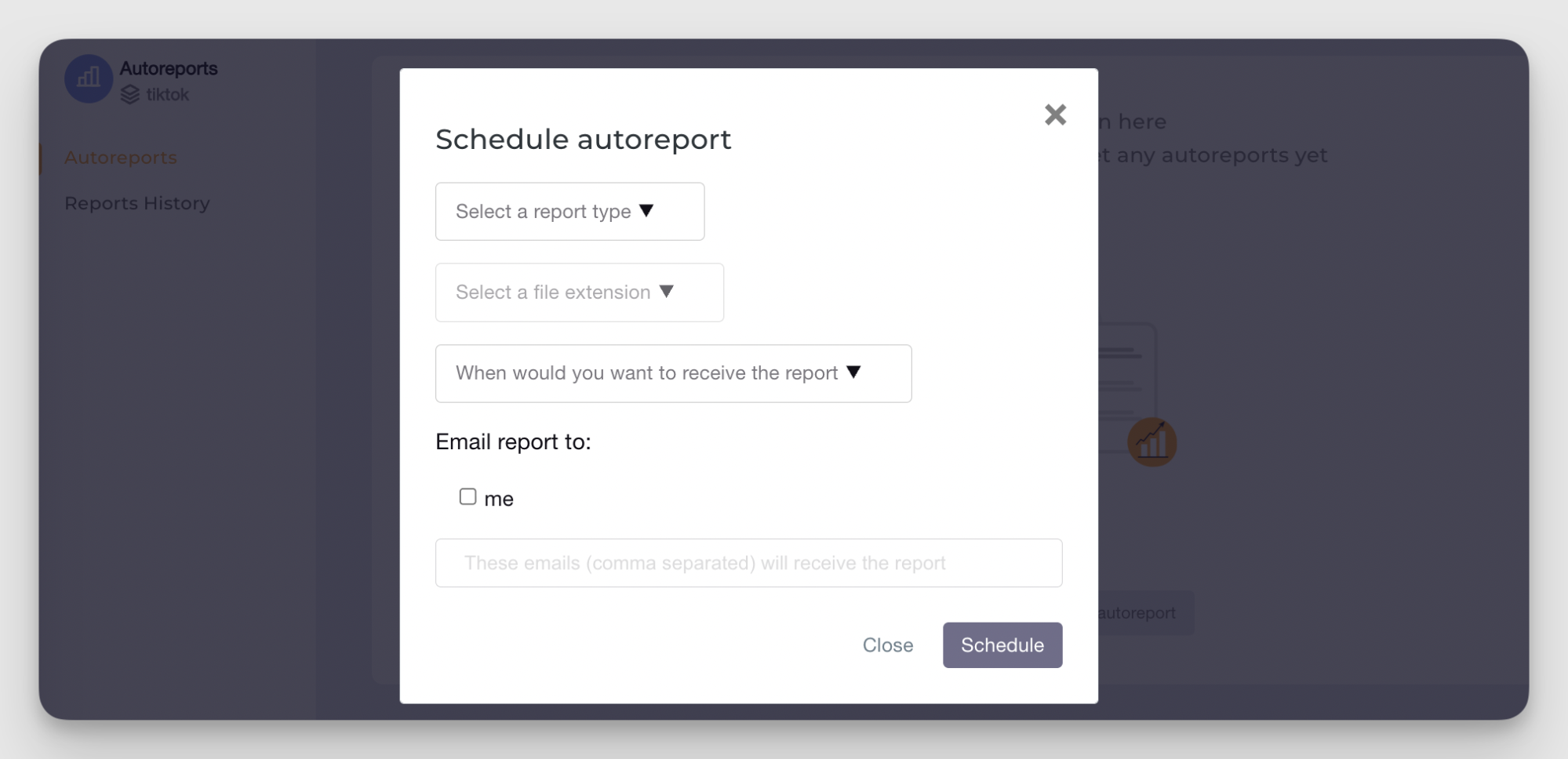
You can create platform-specific reports, competitor benchmarks, campaign reports, or cross-channel overviews and export them in multiple formats, including PDF, PPT, and CSV.
AI Assistent
Socialinsider’s AI Assistant adds an interpretation layer on top of your analytics and competitor data. Instead of manually digging through charts, you can ask questions about performance trends, competitor strategies, content gaps, or sudden spikes in engagement.
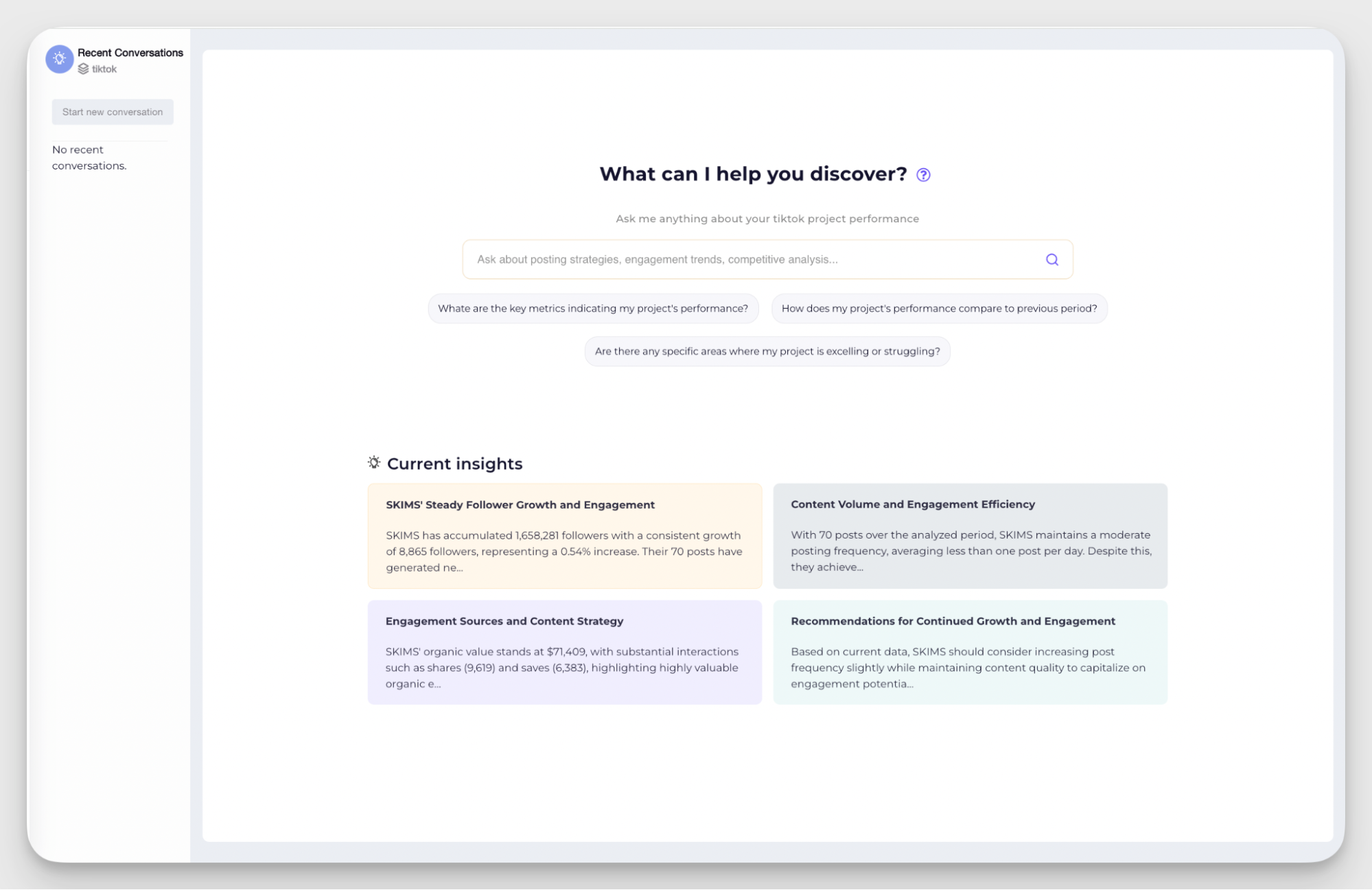
Concise AI-driven insights help you create executive summaries and give a bird’s-eye view of the performance.
Historical data and Looker Studio integration
Socialinsider integrates directly with Data Studios (formerly Looker Studio) — Google’s reporting and data visualization platform. This allows teams to pull both current and historical social media data into fully customizable dashboards and reports.
You can visualize post-level metrics, profile analytics, competitor benchmarks, and cross-platform performance data from TikTok, Instagram, Facebook, LinkedIn, X, and YouTube in one place.
Pros & Cons
What users say
- Reviewers highlight the depth of analytics and competitor insights, especially for teams doing detailed social media research or strategy planning. (G2)
- Many reviewers mention that despite the platform’s advanced analytics capabilities, the interface remains easy to navigate and understand. (G2)
- Some users note that adding and organizing multiple brand profiles could be more automated. (G2)
Pricing
Socialinsider has three paid plans starting at $82/month.
#2. Modash — best for influencer discovery
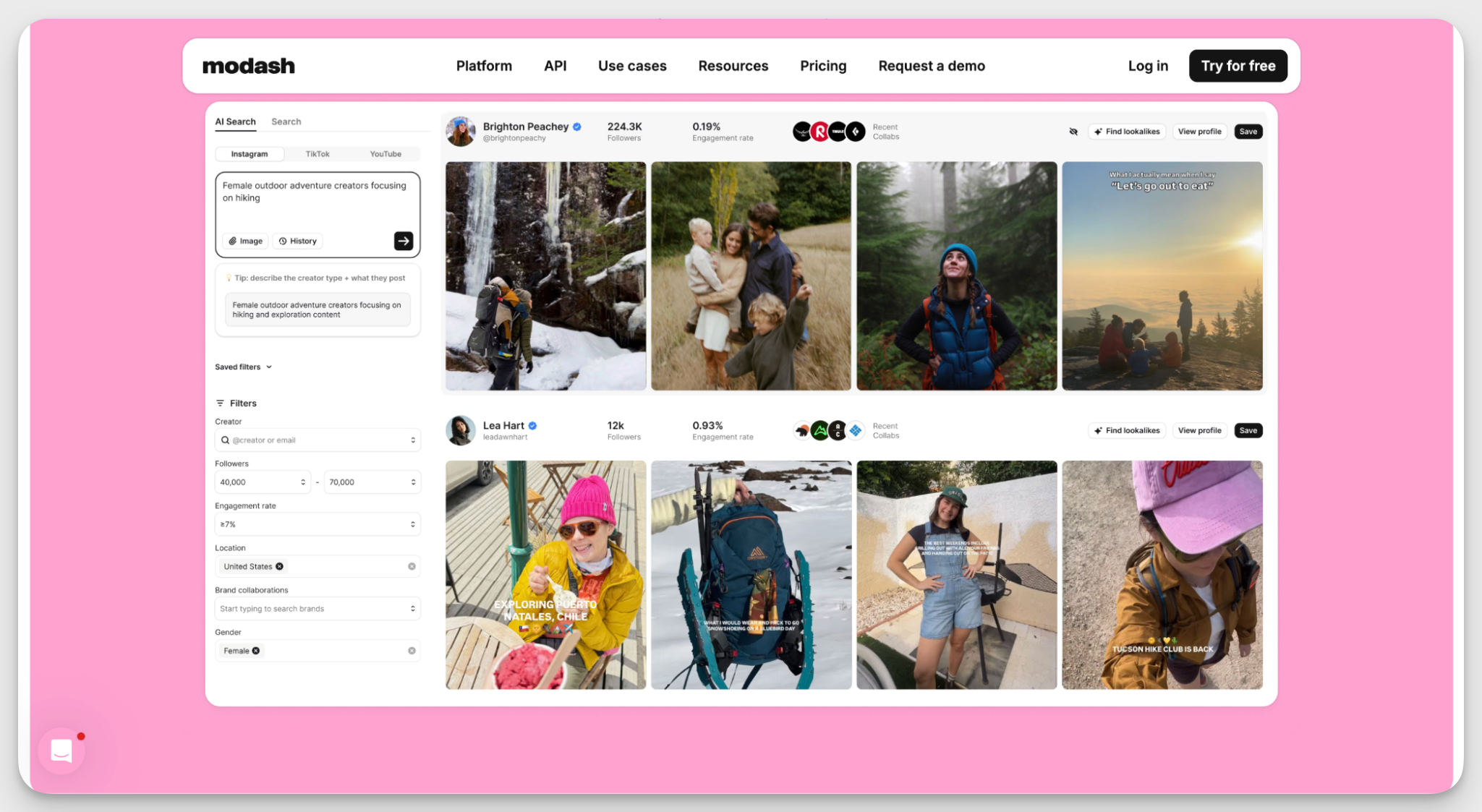
Modash is built entirely around influencer partnerships. If your TikTok strategy relies on influencer marketing, Modash covers the full workflow: finding creators, managing relationships, running campaigns, and tracking results.
Key capabilities
- AI-powered creator search. Modash scans bios, captions, and visuals to find relevant TikTok profiles for your brand. You can even upload an image to find creators who do content in a similar style.
- Precise audience filters. Filter potential partners by audience demographics, location, engagement rate, and content topics to find the right fit without manually checking every single profile.
- Automated campaign tracking. Modash collects all brand mentions from your selected creators during the campaign window and tracks total posts, influencer participation, views, clicks, and sales.
- Influencer CRM. Keep full conversation history, past campaign performance, custom labels, and bulk actions in one place to manage your TikTok creator roster.
Pros & Cons
What users say
- Reviewers love the Modash discovery engine for helping teams quickly find niche creators and vet their audience demographics. (G2)
- Users highlight how straightforward it is to communicate with influencers and monitor partnership performance from one dashboard. (G2)
- Some marketers note that the pricing gap between the plans is significant, making it challenging for the teams where influencer work is one part of a broader strategy. (G2)
Pricing
Modash offers three paid plans starting at $199/month.
#3. Keyhole — best for campaign tracking
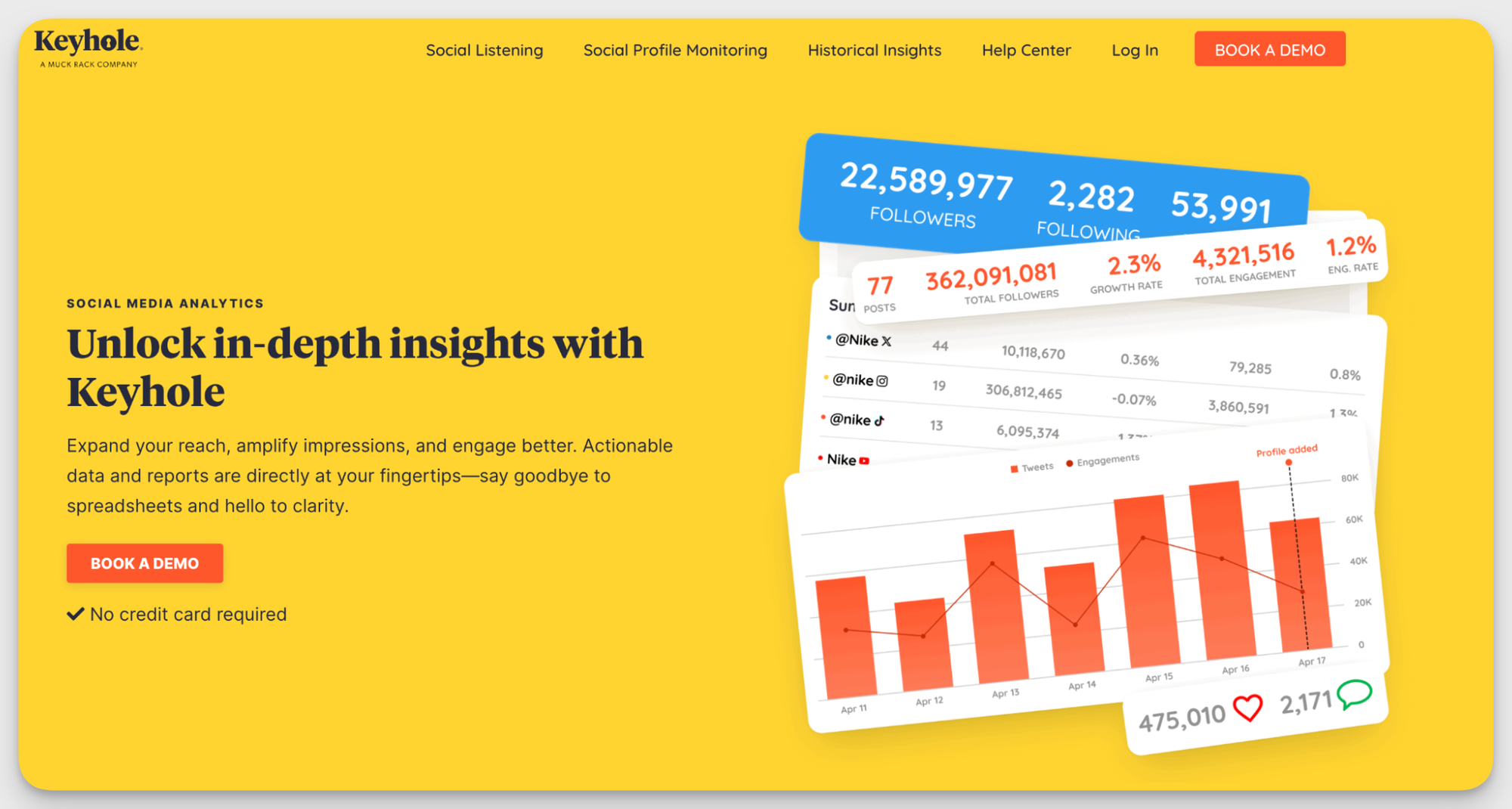
Keyhole is a social listening and social media analytics tool that tracks brand mentions, hashtags, and conversations across the web, TikTok included.
It's a good fit for teams that run frequent campaigns and need to monitor how they land in real time on TikTok and across platforms.
Key capabilities
- TikTok hashtag and campaign tracking. Monitor campaign-specific hashtags, track reach and engagement, identify the top contributors driving the conversation, and spot which tags are gaining traction in real time.
- TikTok account and content analytics. Track engagement metrics for TikTok profiles, identify your best-performing videos, and analyze how factors like posting frequency and hashtag use affect results.
- Influencer identification on TikTok. Find relevant TikTok creators talking about your brand or campaign hashtags, and evaluate their reach, engagement rate, and influence score to decide who's worth pursuing.
Pros & Cons
What users say
- Reviewers who switched to Keyhole specifically for hashtag analytics say the features are easy to learn and simple to train new team members on. (G2)
- Some users note that social listening coverage doesn't always go deep enough for more comprehensive research needs. (G2)
- A few reviewers mention that when technical issues with scheduling came up, the support team was slow to respond and not always helpful in resolving them. (G2)
Pricing
Keyhole is now part of MuckRack and available as a social media add-on. Book a demo with MuckRack for pricing details.
#4. Social Status — best for automated reporting
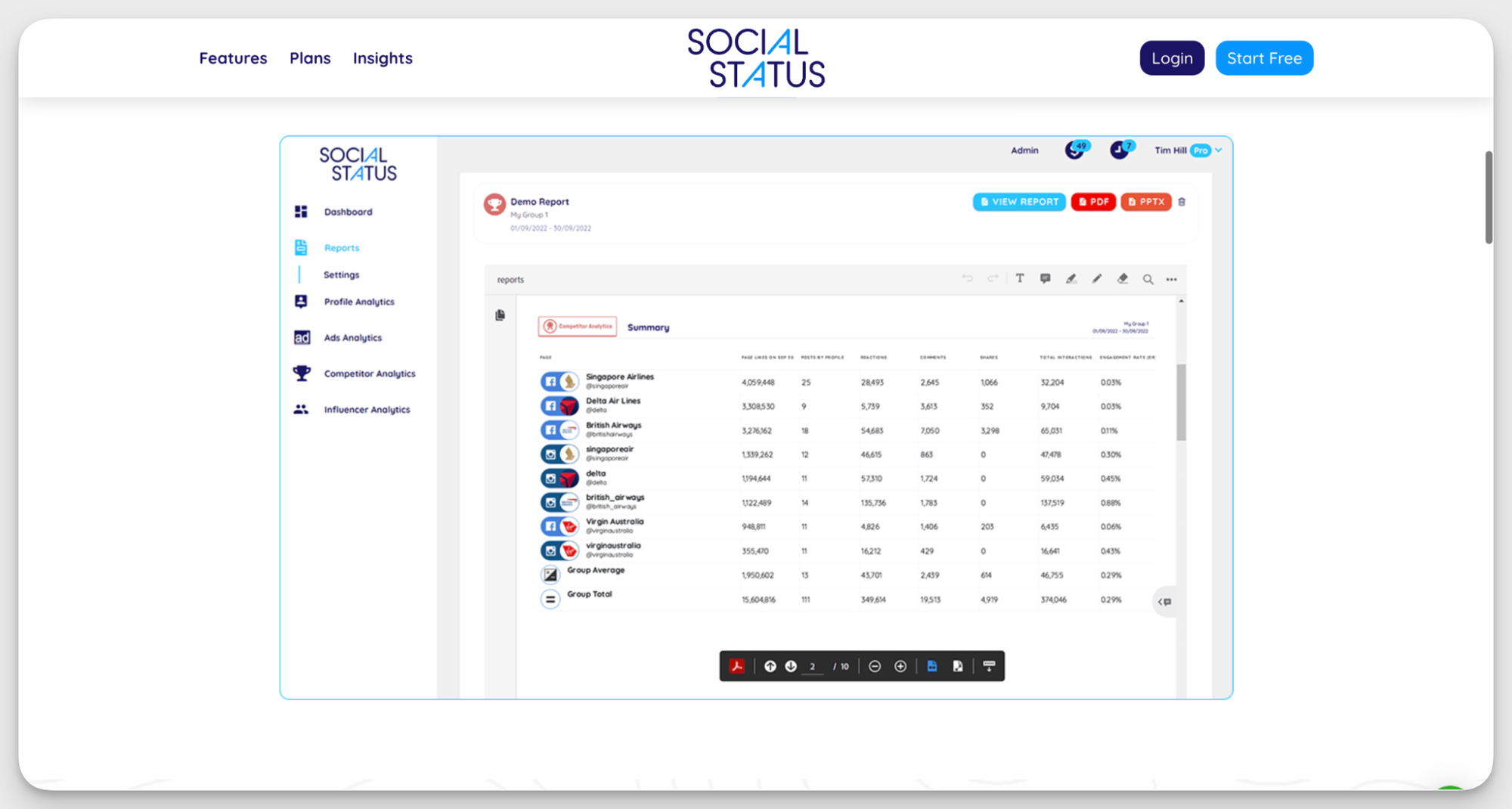
Social Status is a reporting-focused analytics tool built specifically for social media managers and agencies. It does one thing well: pulling performance data from multiple platforms into clean, client-ready reports that they can customize and label.
Key capabilities
- White-label TikTok reporting. Build automated TikTok reports with video performance, engagement rate, follower growth, reach, and audience metrics, then export them as branded PDFs, PowerPoints, Google Slides, CSVs, or Excel files ready for clients and stakeholders.
- TikTok profile and video analytics. Track views, likes, comments, shares, watch engagement, and posting frequency. Compare the metrics with other channels you manage in a cross-platform report.
- Influencer analytics and campaign tracking. Monitor influencer performance across TikTok campaigns with metrics such as engagement rates, audience growth, reach, impressions, and top-performing content.
Pros & Cons
What users say
- Reviewers appreciate that Social Status is laser-focused on analytics — no extra features cluttering the workflow, just the data they need. (G2)
- Users highlight how clear the metrics are and how easy it is to adjust charts to fit different reporting needs. (G2)
Pricing
Social Status has separate plans for small businesses and professional agencies. The cheapest plan that includes TikTok analytics starts at $49/month.
#5. Exolyt — best for TikTok-only strategy
Exolyt is a TikTok-first analytics platform built for brands and marketers who want to understand what’s trending and why. The platform combines account analytics, hashtag tracking, and social listening to help teams keep up with TikTok trends.
Key capabilities
- Account overview. Analyze views, engagement, likes, shares, comments, and top-performing sounds from any TikTok account. Use audience insights and recommendations on the best posting times based on historical engagement patterns.
- Trending sound monitoring. Track trending TikTok sounds relevant to your brand and monitor how their popularity changes over time. Check rising and declining audio trends, and current hotness scores.
- Hashtag analytics. Explore hashtag performance and monitor how conversations evolve around specific topics, campaigns, or industries. Spot patterns, discover niche trends, and evaluate visibility around branded hashtags.
- Content score. Measure how individual TikTok videos perform compared to other posts and understand how specific content contributes to overall account growth.
Pros & Cons
What users say
- Users like that Exolyt is focused on TikTok and helps them analyze the volume of conversation for certain hashtags to evaluate the impact of a certain topic. (G2)
- Reviewers also mention that Exolyt understands the TikTok culture, trend, and mechanics well, making it a reliable tool for building a strategy. (G2)
- Some users mention that the dashboard view can be improved, as well as options to share the report or dashboard with clients or other non-users. (G2)
Pricing
Exolyt has a free plan limited to one tracked account. Two paid plans begin at $250/month.
#6. HypeAuditor — best for influencer audience vetting
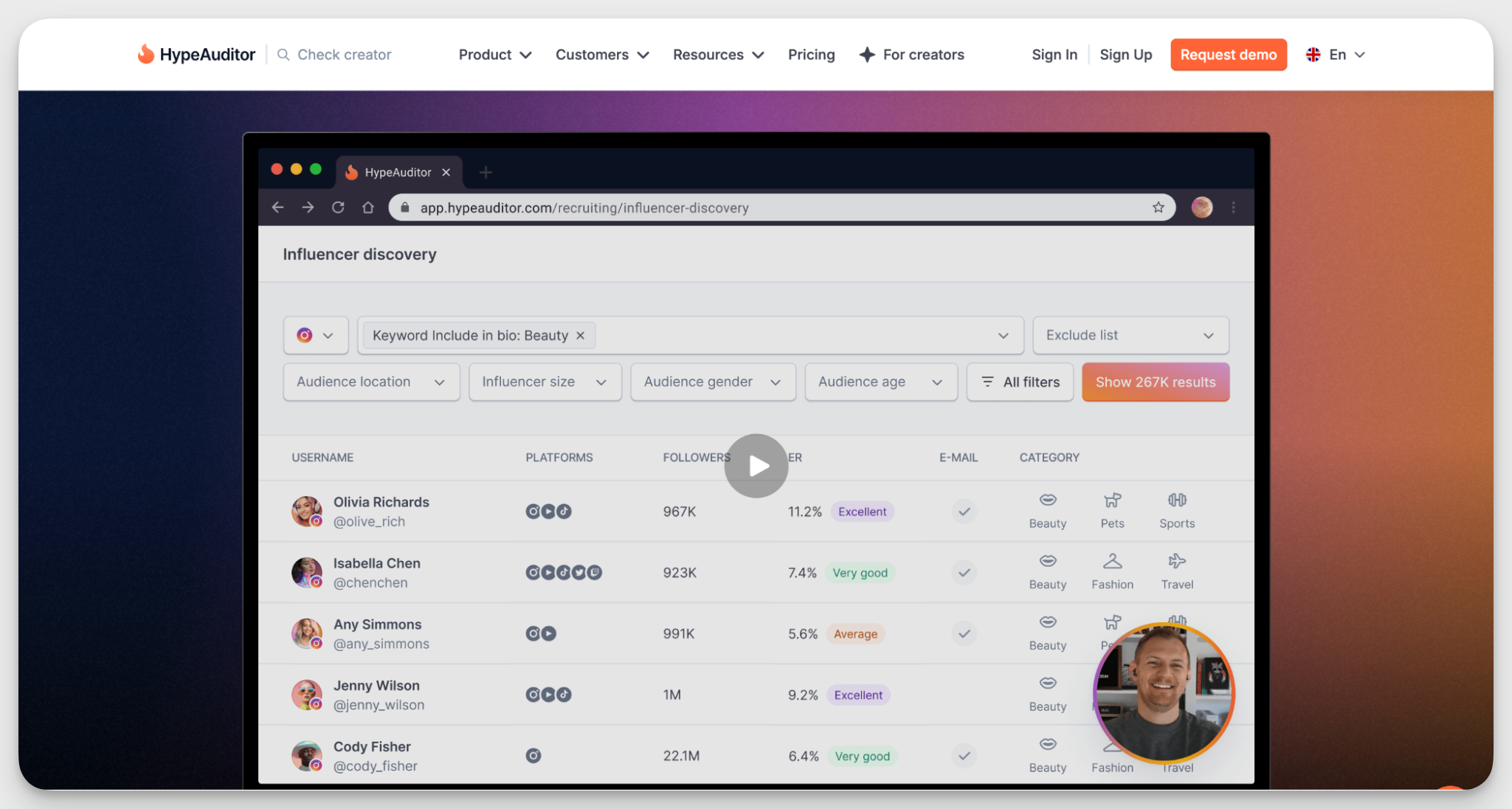
HypeAuditor is another influencer marketing platform with strong TikTok coverage. Compared to Modash, it emphasises audience quality analysis and authenticity. It helps teams that want to vet creators thoroughly before committing to a collaboration.
Key capabilities
- Influencer discovery and management. Search a database of over 104.7M TikTok creators using filters like location, niche, audience demographics, and engagement rate.
- TikTok account quality scoring. The AI-powered analytics rates any TikTok account on a scale of 1 to 100 based on follower-to-following ratio, views-to-follower ratio, views spread, and engagement rate.
- Video performance analysis. See which videos from any TikTok creator performed best, track likes, comments, shares, and engagement rates, and identify what types of content tend to go viral for this particular account.
- Influencer pricing calculator. Estimate a creator's rate based on their follower count, average video views, and engagement rate.
Pros & Cons
What users say
- Reviewers describe HypeAuditor as intuitive and easy to get started with, even for teams new to influencer marketing platforms. (Capterra)
- Users appreciate that the platform ranks creators not just by engagement metrics but also by audience quality and influence score. (G2)
- Some reviewers mention that HypeAuditor lacks analytics for livestreams (G2)
Pricing
HypeAuditor uses custom pricing. You'll need to book a demo to get a quote.
#7. Brand24 — best for brand mention & sentiment monitoring
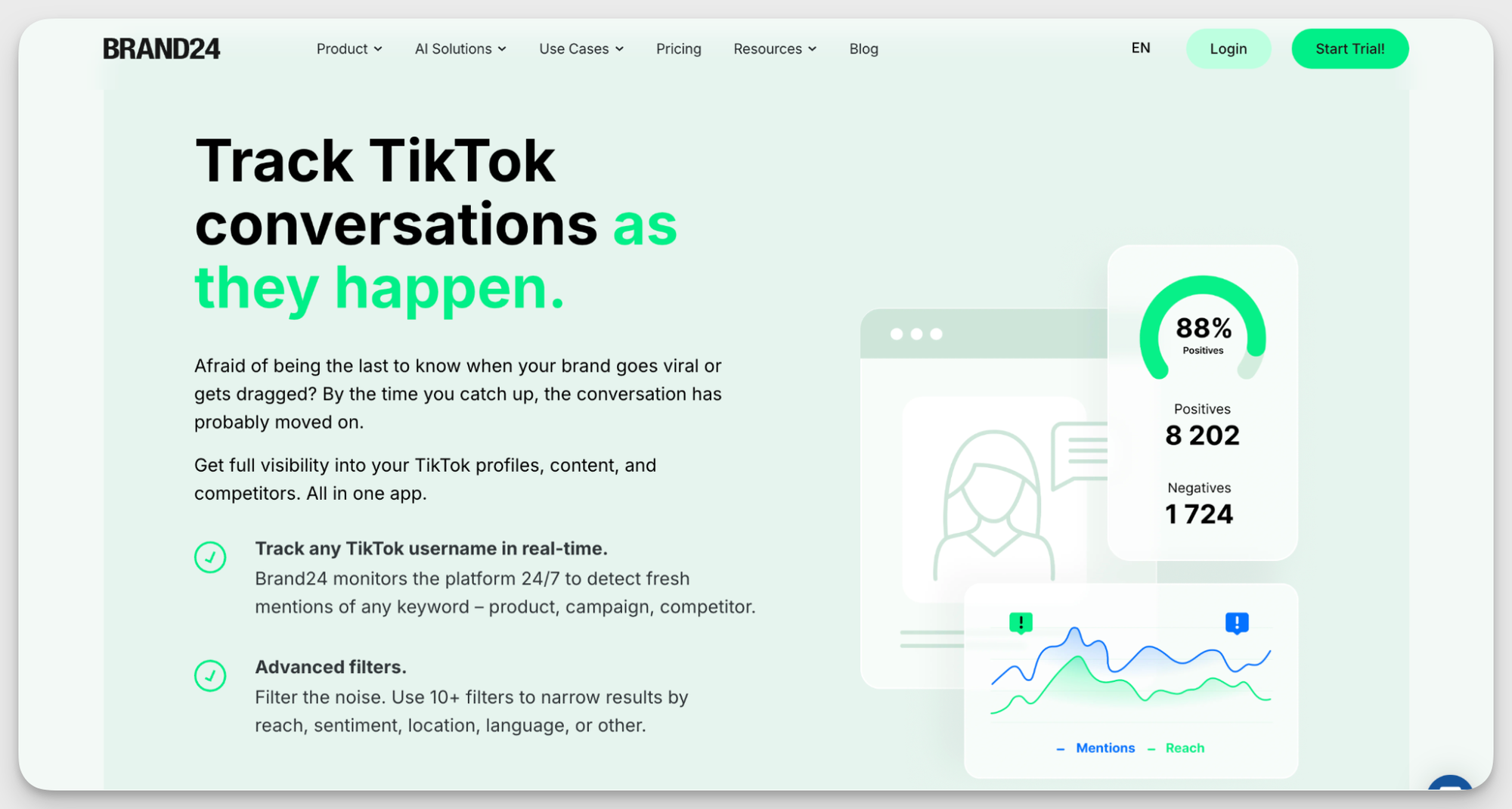
Brand24 is a social listening tool built to help brands understand how people talk about them online, TikTok included. It tracks mentions, hashtags, and conversations in real time, making it easier to monitor brand sentiment, measure share of voice, and jump into relevant discussions.
Key capabilities
- Real-time TikTok monitoring. Track mentions of your brand, products, campaigns, competitors, or hashtags as they happen.
- Reach and engagement tracking. Map out changes in reach and engagement on trend charts to see what campaigns, creators, or viral moments affect your performance.
- Topic analysis. Discover hot topics around your brand and niche. Use trending themes and recurring conversations to shape future content ideas and campaigns.
- Sentiment and emotion analysis. See whether people talk about your brand positively, negatively, or somewhere in between.
Pros & Cons
What users say
- Reviewers highlight that the real-time alerts and sentiment analysis features help teams make faster communication and PR decisions. (G2)
- Teams mention that Brand24’s support is helpful and quick to act. (G2)
- Some users mention that plans can feel limiting if you want to track multiple brand names, products, and competitors at the same time. (G2)
Pricing
Brand24 offers five paid plans starting at $199/month.
Final thoughts
Choosing a TikTok analytics tool is a process. Your perfect tool has to support your specific workflow and solve the issues your team deals with every day. Make sure you focus on your real needs rather than an extensive list of features.
And the best course of action is always to try the tool before you commit. Socialinsider offers 14 days of free trial — try it today and see if that fits you like a glove.
Kseniia Volodina
Content marketer with a background in journalism; digital nomad, and tech geek. In love with blogs, storytelling, strategies, and old-school Instagram. If it can be written, I probably wrote it.
Know what your competitors do — before your manager asks
Get instant social benchmarks & reports without manual work.